 UX design & handoff
Sydla
vs Figma.
Carry the design conversation into development.
USD per user/month · Billed monthly · Provider subscriptions separate
THE WORK, SIDE BY SIDE
Figma and Sydla,
in context.
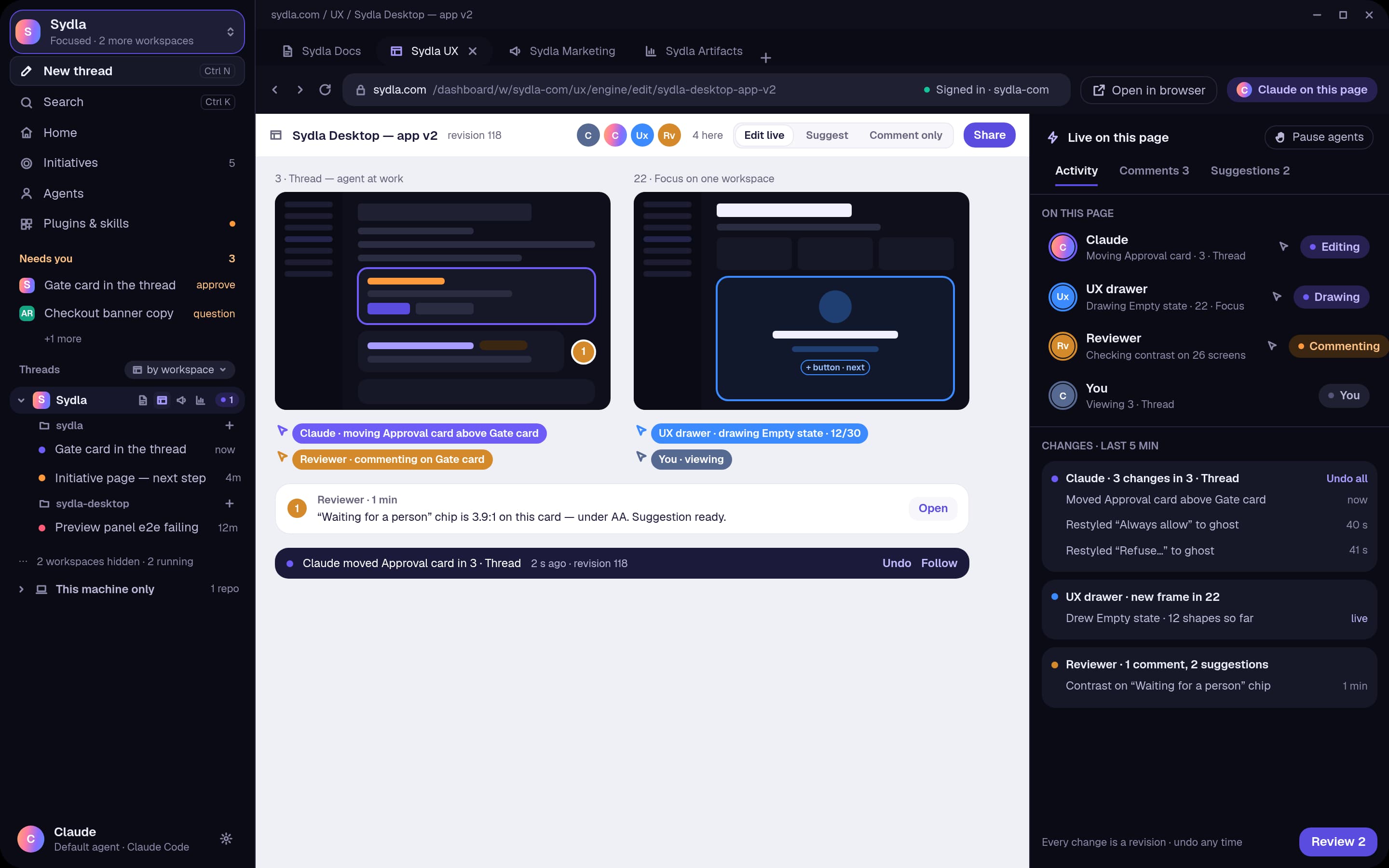
Figma offers collaborative design, prototyping, Dev Mode and AI-powered creation tools. Sydla UX Studio brings screens, states and agent edits into the same project as the brief, implementation and review decisions.
| What you’re comparing | Figma | SydlaAI AGENTIC SDLC |
|---|---|---|
| Design workspace | Collaborative design and prototyping in Figma Design. | Native project screens and design documents in Sydla UX Studio. |
| AI approach | AI creation tools and MCP access, with plan and seat limits. | Your agent works with the design and its project context through Sydla’s tools. |
| Handoff | Dev Mode, design specifications and related developer workflows. | Screens and design decisions linked to the brief and coding-agent work. |
| Delivery context | A design platform connected to the team’s other delivery tools. | Planning, docs, UX, code, verification and release review in one SDLC. |
Source: Figma pricing and included features. Sydla descriptions reflect its project, document, design and native agent workflows.
MONTHLY PRICING
One selected tool.
One full Sydla workspace.
Monthly USD list prices before tax. The Figma plan shown is Professional · Full seat. Pricing snapshot: 2026-11-14; free tiers and annual discounts excluded.
Figma
Monthly billing
Design teams that depend on Figma’s specialist design tooling, prototyping and existing libraries.
View the selected official planBilled monthly
Planning, docs, UX, code, QA and launch. One workspace for your team and agents.
- Your existing Claude Code and Codex accounts
- No extra Sydla AI or per-token fees
- Native Desktop + Mobile · Human review
Considering the full stack?
Software teams that want UX work and agent collaboration inside the same delivery workspace as planning, code and QA.


START WITH ONE PROJECT
Bring the work into Sydla.
A practical starting point for the workflow you want to connect.
- 01
Frame the experience
Keep the user need and acceptance criteria beside the screens.
- 02
Review states with your agent
Inspect the proposed UI, empty states and interaction details before development.
- 03
Carry the decision forward
Keep the reviewed design connected to implementation and QA evidence.
A few details before you decide.
Does Sydla include every Figma feature?
Sydla focuses on the connected software lifecycle: planning, documentation, UX, agent work, verification and launch. This page compares those workflows with Figma’s focus. Specialist features, libraries and plan limits differ; use the linked product details for the capabilities your team needs.
How should I read the prices?
The selected Figma plan is shown beside Sydla’s full workspace at $19 USD per user/month. The six-plan example assumes one paid seat in each selected plan for every person. Your existing Claude Code and Codex subscriptions remain separate.
Explore the other comparisons.
ONE WORKSPACE. THE ENTIRE SDLC.
Your next project.
One $19 subscription.
Keep using your Claude Code and Codex accounts. Bring the work into Sydla.