Devin vs Claude Code and Codex in 2026: quotas, Devin Bots, the ChatGPT sign-in and who pays for the run
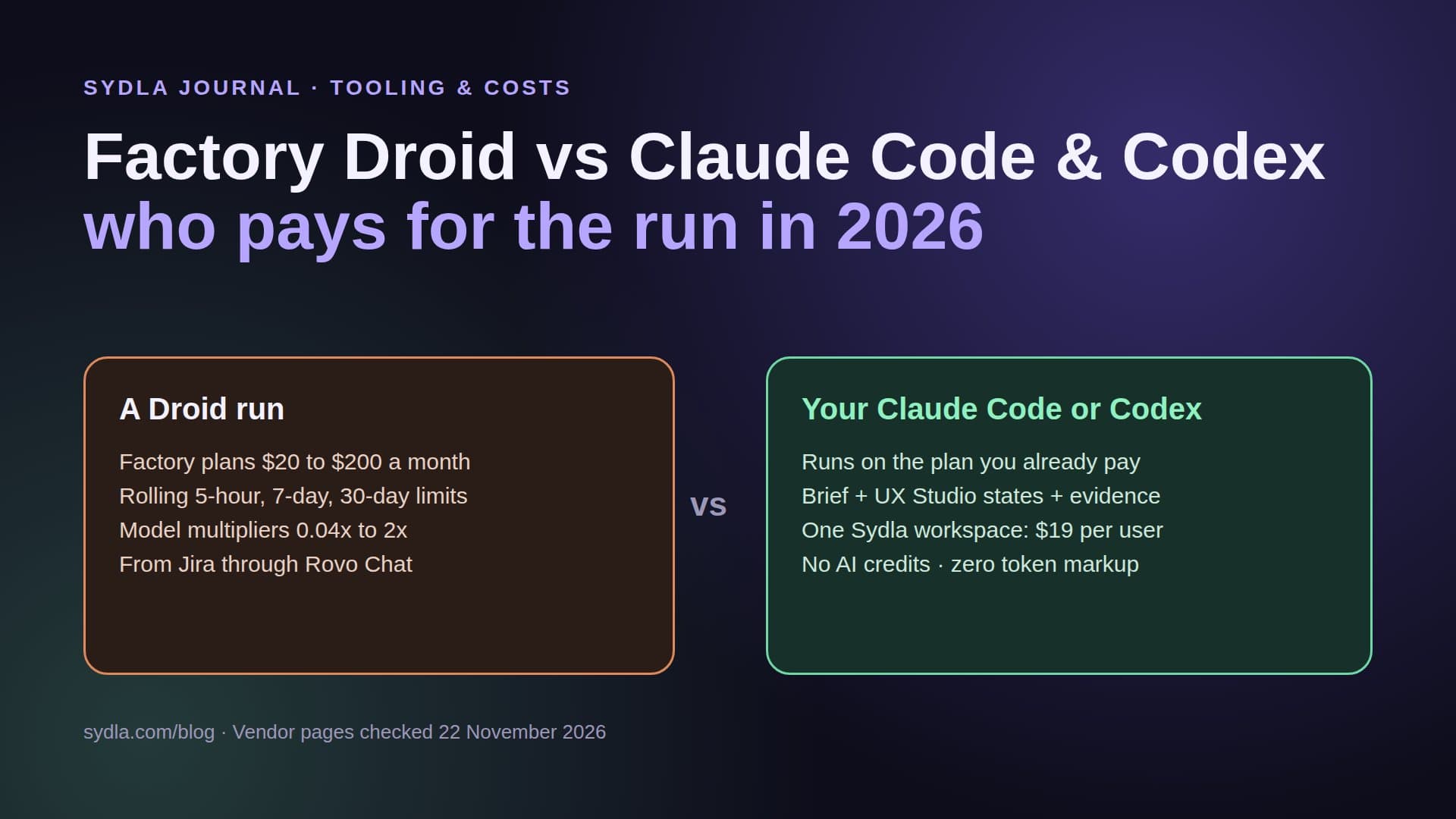
Cognition rebuilt Devin's pricing in 2026: ACUs left the self-serve page, Windsurf became Devin Desktop, and paid plans now run on daily and weekly quotas with overage at API prices. We read Devin's pricing page and changelog to compare a Devin run with a Claude Code or Codex run on the plan you already pay, and to show where the brief and the design states come from in each case.
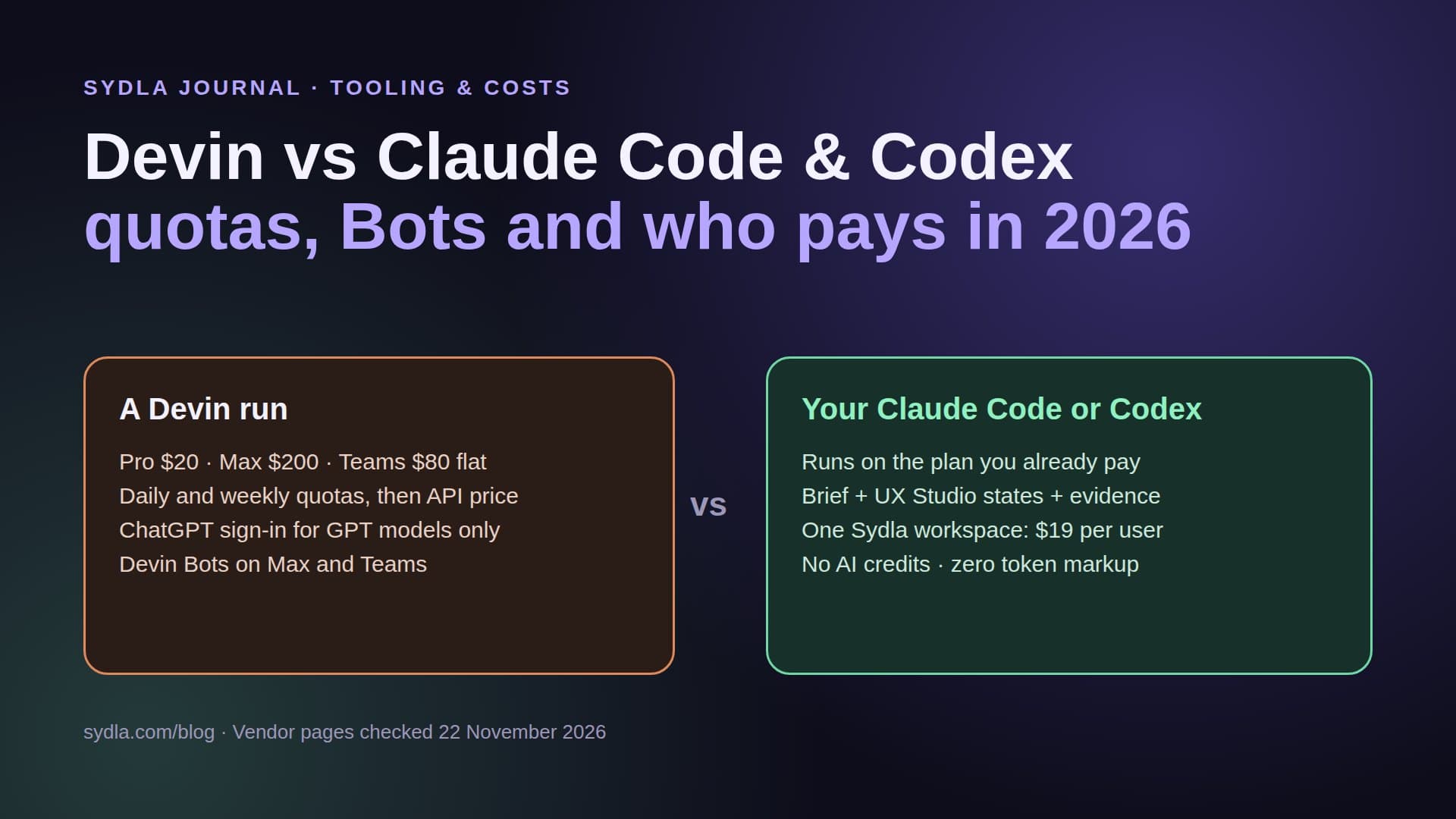
The agent you rent and the agent you already own
Most small product teams already pay for a coding agent. An engineer has a Claude Pro, Max or Ultra plan for Claude Code, or a ChatGPT plan that includes Codex. Then someone suggests Devin, the autonomous engineer from Cognition, and a second agent subscription with its own quota lands on the budget.
Devin changed a lot in 2026. The per-task Agent Compute Units that made early bills hard to predict are gone from the self-serve page. Windsurf, which Cognition bought in July 2025, was renamed Devin Desktop in June. On 17 November, Devin Bots arrived: you give a Bot an outcome and it plans the work and runs sessions until it is done. It is a serious product. The question for a lean team is narrower: does a second plan fix what actually slows you down?
For most teams the slow part is not the agent. It is the brief in Confluence, the spec in Notion, the states in Figma and the decision on a Miro board, each one an MCP hop and an AI meter away from the run. That is AI credit fatigue: many small meters and many partial views of one feature. This guide compares Devin with Claude Code and Codex using Devin's pricing page and changelog, checked on 22 November 2026.
How Devin charges in November 2026
The pricing page now has two tabs, Individual and Teams. Every paid plan comes with a usage allowance that refreshes daily and weekly, and the cost of each message depends on the model, the size of the task and the reasoning it needs.
- Free, $0. A light agent quota, limited models, and unlimited inline edits and Tab completions in Devin Desktop.
- Pro, $20 a month. Higher quotas with frontier models from OpenAI, Anthropic, Google and SpaceXAI, free use of Cognition's SWE-2 model, and cloud agents in Devin Cloud.
- Max, $200 a month. Much higher quotas and access to Devin Bots. Cognition does not publish the quota in tokens or dollars for either plan.
- Teams, $80 a month, flat. Shared on-demand credits for up to 100 members, Devin Bots, multiplayer sessions, SSO, three usage tiers for cost control, and Slack, Jira and Linear integrations. Each member gets two concurrent sessions in Free mode.
- Overage. Past the included allowance you buy extra usage, consumed at API pricing. Devin's own tip to make quotas last is to switch to smaller models such as Haiku or GPT 5.2 Mini for routine work.
- Enterprise. Custom terms, SCIM, a dedicated deployment option and VPC hosting. ACU billing, the old $2.25-per-unit meter on the Core plan, now appears only in enterprise order forms, according to third-party trackers.
The $80 Teams plan looks cheap next to six seats, but read the line under it. The flat fee buys the seats and the admin features. The agent work itself draws on shared on-demand credits, so a busy team pays for usage on top. Budget the overage, not the sticker.
Devin, Claude Code and Codex side by side
All three agents read a repository, plan, edit files, run tests and open a pull request. They differ in who sells the model access and how the limit is measured.
| Agent | Plans | How a run is metered | Where it reads the work |
|---|---|---|---|
| Devin | $0, Pro $20, Max $200; Teams $80 flat + usage | Daily and weekly quotas; extra usage at API price; ChatGPT plan for GPT models | Repo, Devin Cloud, Slack, Jira or Linear ticket, MCP servers |
| Claude Code | Claude Pro $20, Max $100, Ultra $200 | Your Claude plan's usage limits; API key sessions billed as API usage | Repo, CLAUDE.md, any MCP server you add |
| Codex | ChatGPT Plus, Pro, Business plans | Your ChatGPT plan's limits; API key sessions billed separately | Repo, AGENTS.md, MCP servers in config.toml |
| Sydla workspace | $19 per user | No AI credits: it drives your own Claude Code or Codex, zero token markup | Brief, criteria, UX Studio states and evidence in one MCP connection |
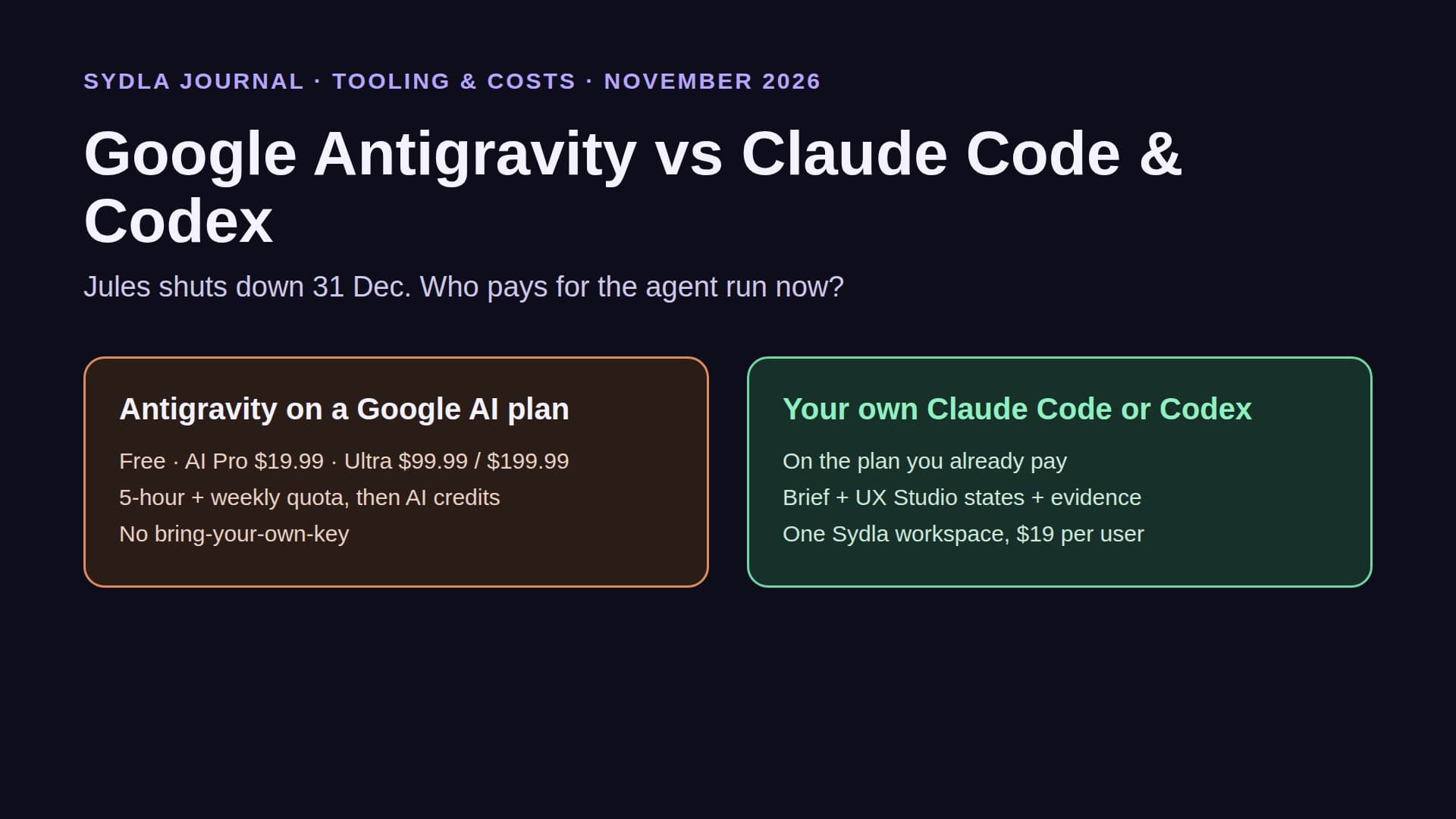
Devin now has a partial bring-your-own option. Since version 3.10.48 of Devin Desktop, eligible ChatGPT Plus or Pro subscribers can turn on Use my ChatGPT plan, and GPT model requests then run on their OpenAI plan instead of Devin's quota. There is no Claude sign-in, which fits Anthropic's rule that third-party apps may not offer claude.ai login without approval. So Claude models in Devin always draw on Devin's quota, even if you already pay for Claude Max. Our bring your own coding agent guide explains the three ways a run can be paid for, and the Claude Code vs Codex guide compares the two plans.
Devin Bots and what a run actually reads
Devin Bots are the headline of the November releases. A Bot owns an outcome in its own chat, plans the work and starts sessions until the work is done. Local sessions now run in a background process, so closing Devin Desktop does not stop them. That is a good fit for long chores such as migrations or a backlog of small fixes.
A Bot is still only as good as what it can read. Started from a Jira or Linear ticket, it gets the ticket and the repository. The Confluence page with the decision, the Figma frame with the error state and the Notion spec reach it only if someone pastes them in or wires up an MCP server for each tool, and each of those servers has its own plan limits and AI meter. Every autonomous session also spends quota while it explores, so a vague brief costs more than a precise one. Our context engineering guide shows the four layers an agent needs, and the cost per ticket guide puts numbers on a typical run.
The six-tool stack around any agent
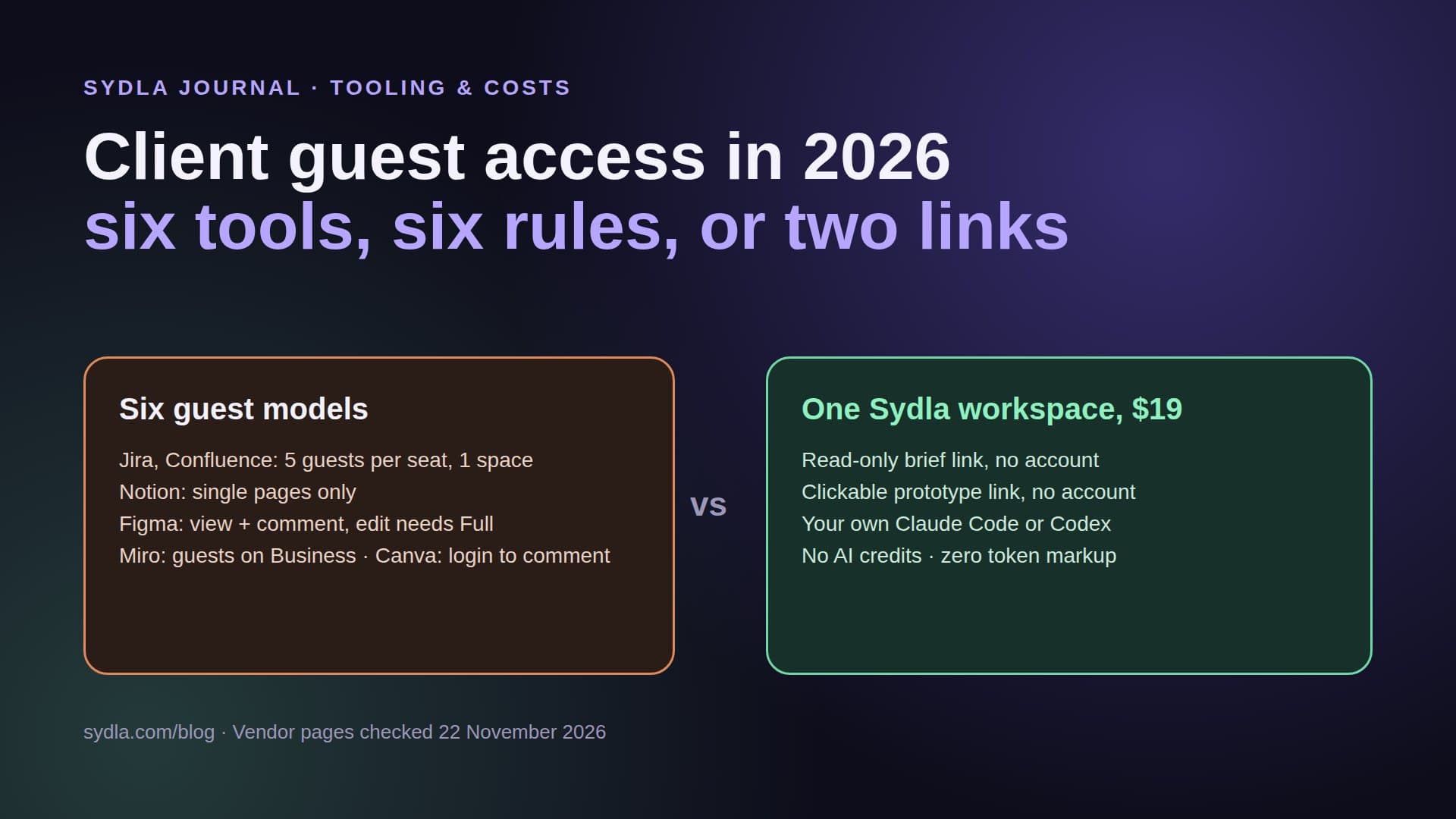
Whichever agent you choose, it still needs a brief, designed states, decisions and a launch visual. In a typical 2026 stack those sit in six tools, each with its own seat and AI meter.
| Tool | Seat price | Bundled AI and its limit | Handoff to a coding agent |
|---|---|---|---|
| Jira Standard | $9.70 | Rovo: 25 credits per user per month, pooled; PAYG $0.01 per credit from 3 Dec 2026 | Ticket link for Devin; Automation agent actions (beta) |
| Confluence Standard | $7.15 | Same Rovo pool, 25 credits per user | Atlassian MCP; enriched calls 1 to 10 credits |
| Notion Plus | $12.00 | Custom Agents on Business and Enterprise; extra credits $10 per 1,000 | Notion MCP server |
| Figma Professional Full | $20.00 | 3,000 AI credits per Full seat, no rollover | Figma MCP: 200 calls a day on Full or Dev |
| Miro Starter | $10.00 | 25 AI credits per license, pooled per team | Miro MCP: daily call limits by plan |
| Canva Business | $25.00 | Personal AI allowance per member | Outside the build loop |
| Sydla workspace | $19.00 | No AI credits: bring your own Claude Code or Codex | One MCP connection or a Sydla Desktop thread |
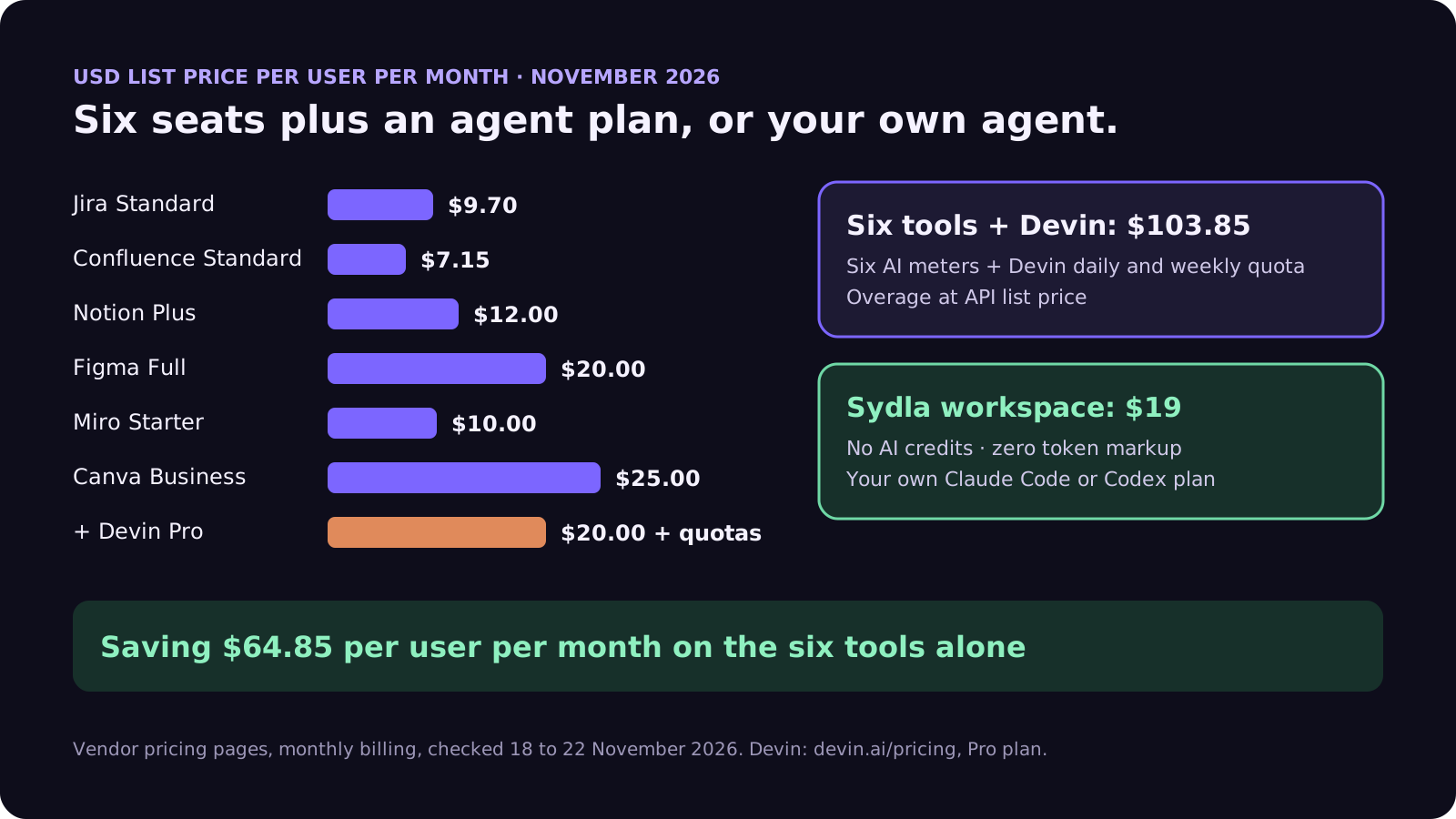
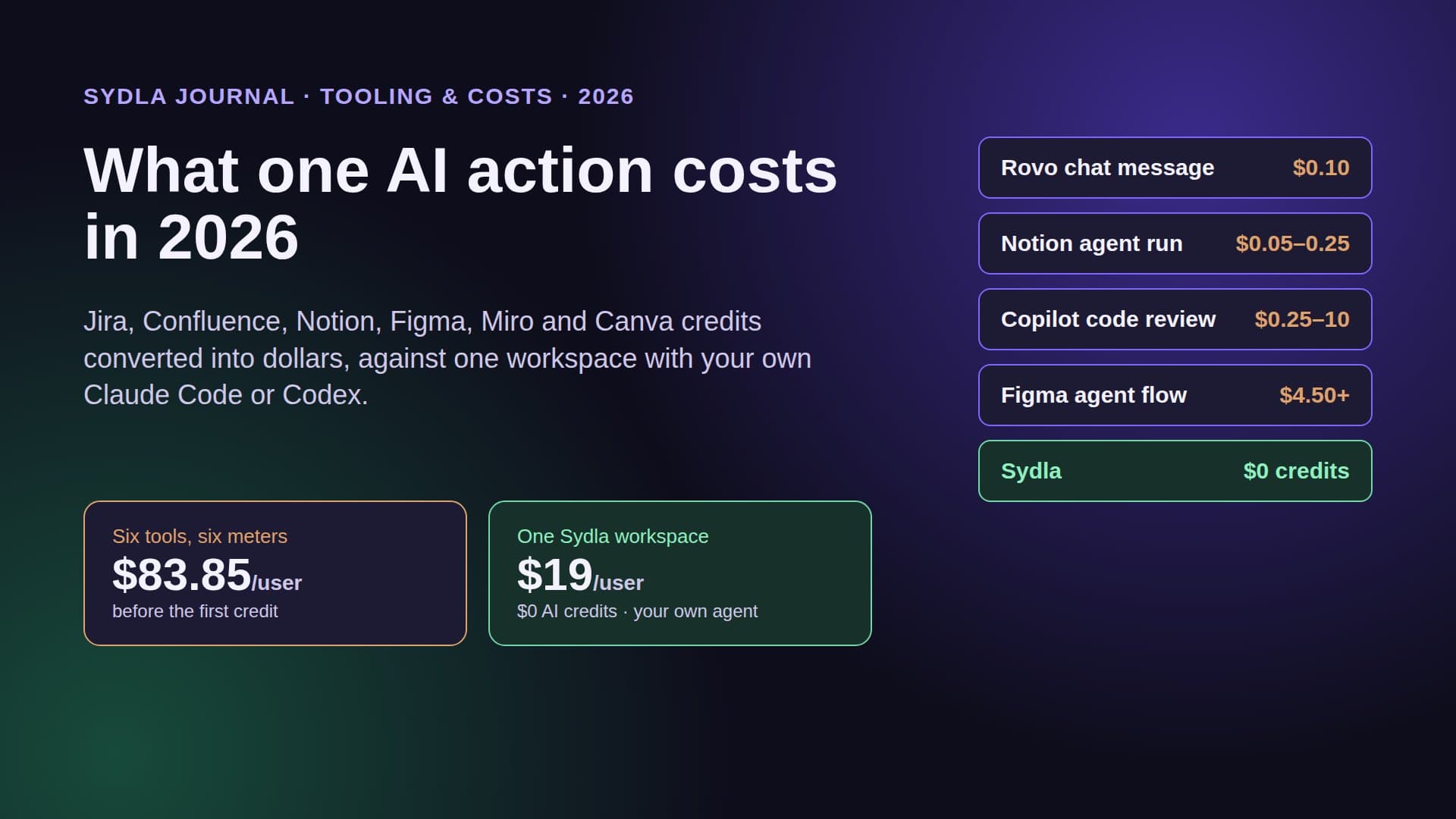
The six tools come to $83.85 per user per month before any overage, against $19 for Sydla, a saving of $64.85. Add a Devin Pro plan and the stack passes $100 per person before a single extra-usage request. The stack cost guide works through 5, 10 and 25 people, and the comparison overview covers each tool.
Technical walkthrough: your own agent on a shared brief and UX Studio states
Sydla takes a different route from renting another agent. The context lives in one workspace, and the agent you already pay for reads it on your machine.
- Brief. Each ticket sits in an initiative with a versioned brief, numbered acceptance criteria and a done-means line. Every save is signed by its author, a person or an agent.
- UX Studio. Screens and their states, empty, loading, error and success, are designed next to the ticket and published as a handoff with tokens and a URL per state.
- Run. In Sydla Desktop you open the ticket, start a thread and choose claude or codex. Desktop drives the CLI you are already signed in to, so the model, the limits and the bill stay on your Claude or ChatGPT plan. Each thread has an access level, Read only, Edit files or Full access, with a Preview panel and a Changes view.
- Review. The agent records evidence against each criterion: test output, screenshots of each state and the diff. A person reviews it and decides the merge and release gates. An agent can request a gate but never approve one.
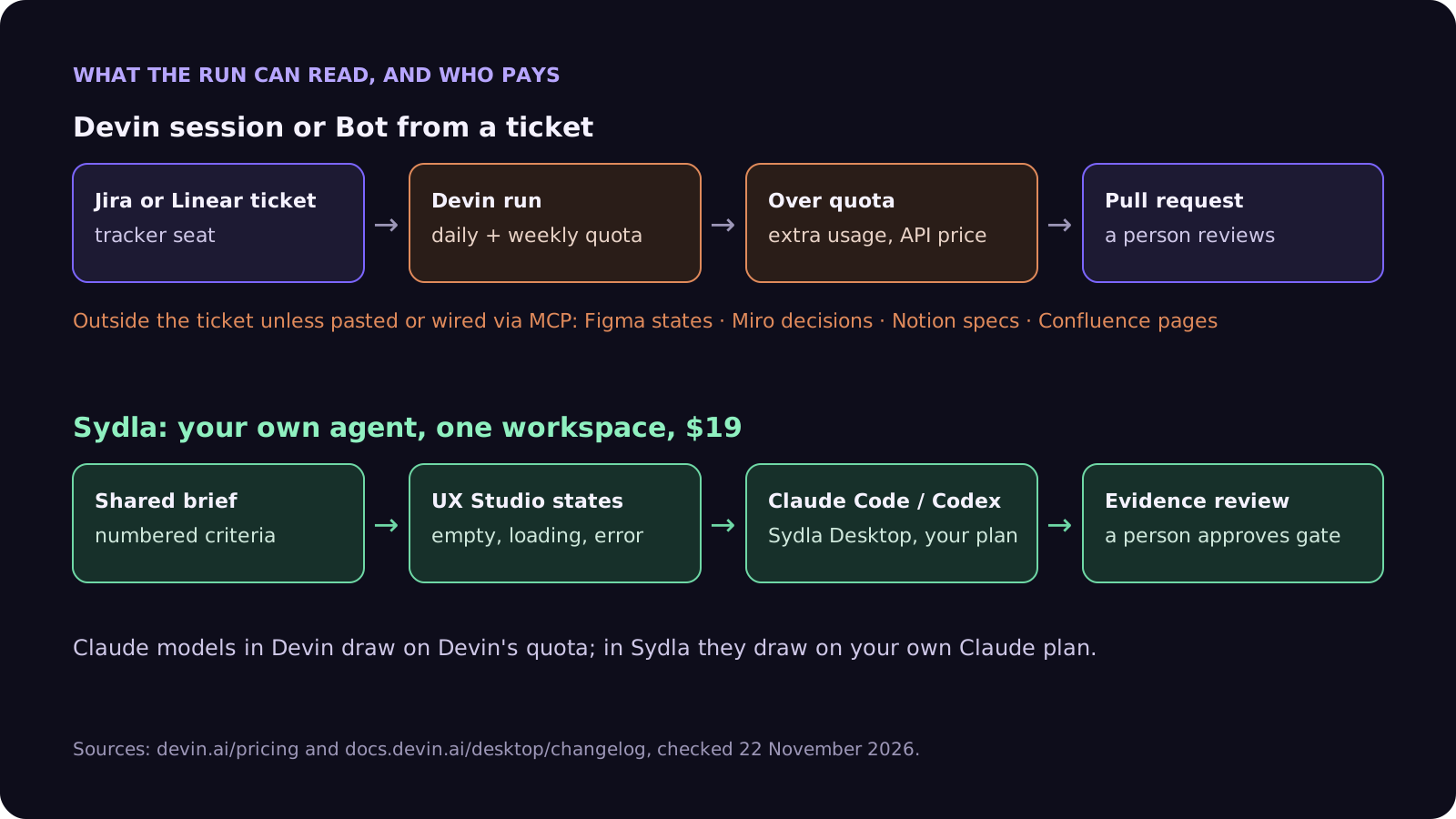
Outside Desktop, the same context is one MCP connection away. For Claude Code, run claude mcp add with the HTTP transport and the sydla.com/mcp URL. For Codex, add an mcp_servers.sydla table to config.toml with the same URL and your key in the headers. Devin supports MCP servers too, so a team that keeps Devin for long chores can point it at the same brief and states and keep one source of truth. Keep the first prompt short: read the work item, list the criteria and states you will build, work on a branch and record evidence per criterion. The Desktop setup guide has every step, and the brief to pull request walkthrough follows one feature end to end.
When Devin is the right choice
Be fair to Cognition. If your team wants an agent that runs in the cloud while nobody is at a keyboard, likes switching between Claude, GPT, Gemini and open models by task, and prefers one admin console for many engineers, Devin is a strong option. Bots suit long, well-scoped chores, the $80 Teams plan is simple to start, and engineers who already pay for ChatGPT can run GPT models on that plan inside Devin Desktop.
It is a weaker fit if your engineers already pay for Claude Max or Ultra and mostly use Claude models, because those requests draw on Devin's quota as well. It is also a weak fit if the real problem is that the agent guesses. A second subscription does not bring the brief, the states or the review evidence closer to the run. Our Claude Code vs built-in AI agents guide, the Factory Droid comparison and the AI SDLC buyer's checklist give a way to score each option.
A five-step check before you add an agent plan
Run this before adding Devin, or any other agent subscription, to the team budget.
- List the plans you already pay. Count the Claude and ChatGPT seats. If most engineers have one, a new agent plan is a second model bill for the same work, except for GPT requests on the ChatGPT sign-in.
- Price your usual model. Devin's quota drains faster on frontier models. Price the model your team actually uses, not the mini model in the FAQ.
- Set the overage rule. Devin extra usage runs at API price and Rovo pay as you go is on by default from 3 December. Put a cap on both; the December pricing checklist lists the dates.
- Check what the agent reads. Write down where the criteria, the states and the decisions live, and whether the agent can reach each one without a copy and paste.
- Measure review time. If a person opens five tools to review one agent pull request, the cost is the stack, not the agent. Our 30-day migration plan shows how to move only what is alive.
Try it on your next ticket
Sydla is $19 per user per month with every feature included and no AI credits to buy. Your Claude Code or Codex plan does the coding, and the brief, the states and the evidence live with the ticket. See the pricing section, read how Sydla works, then start your workspace and keep your Claude Code and Codex accounts.
Frequently asked questions
How much does Devin cost in 2026?
Devin's pricing page lists Free at $0, Pro at $20 a month, Max at $200 a month and Teams at a flat $80 a month for up to 100 members with shared on-demand credits. Enterprise is custom. Paid plans include a usage allowance that refreshes daily and weekly, and extra usage past it is billed at API prices.
Does Devin still use ACUs?
Not on the self-serve plans. Devin's pricing page in November 2026 describes daily and weekly quotas with overage at API pricing, and no longer lists Agent Compute Units. Third-party trackers report that ACU billing remains only in Enterprise order forms.
Can I use my Claude or ChatGPT subscription with Devin?
Partly. Since Devin Desktop 3.10.48, eligible ChatGPT Plus or Pro subscribers can turn on Use my ChatGPT plan so that GPT model requests run on their OpenAI plan. There is no Claude sign-in, so Claude models in Devin always use Devin's own quota, even if you pay for Claude Max.
What are Devin Bots?
Devin Bots launched on 17 November 2026. You give a Bot an outcome to own in its chat, and it plans the work and runs Devin sessions until the work is done. Bots are included on the Max, Teams and Enterprise plans.
Is there a cheaper way to run Claude Code or Codex on product tickets?
Yes. Sydla replaces Jira, Confluence, Notion, Figma, Miro and Canva in one $19 per user workspace, against $83.85 for the six tools, and runs your own Claude Code or Codex through Sydla Desktop or one MCP connection with zero token markup. The agent reads the brief, criteria and UX Studio states in one place and records evidence for a person to review.