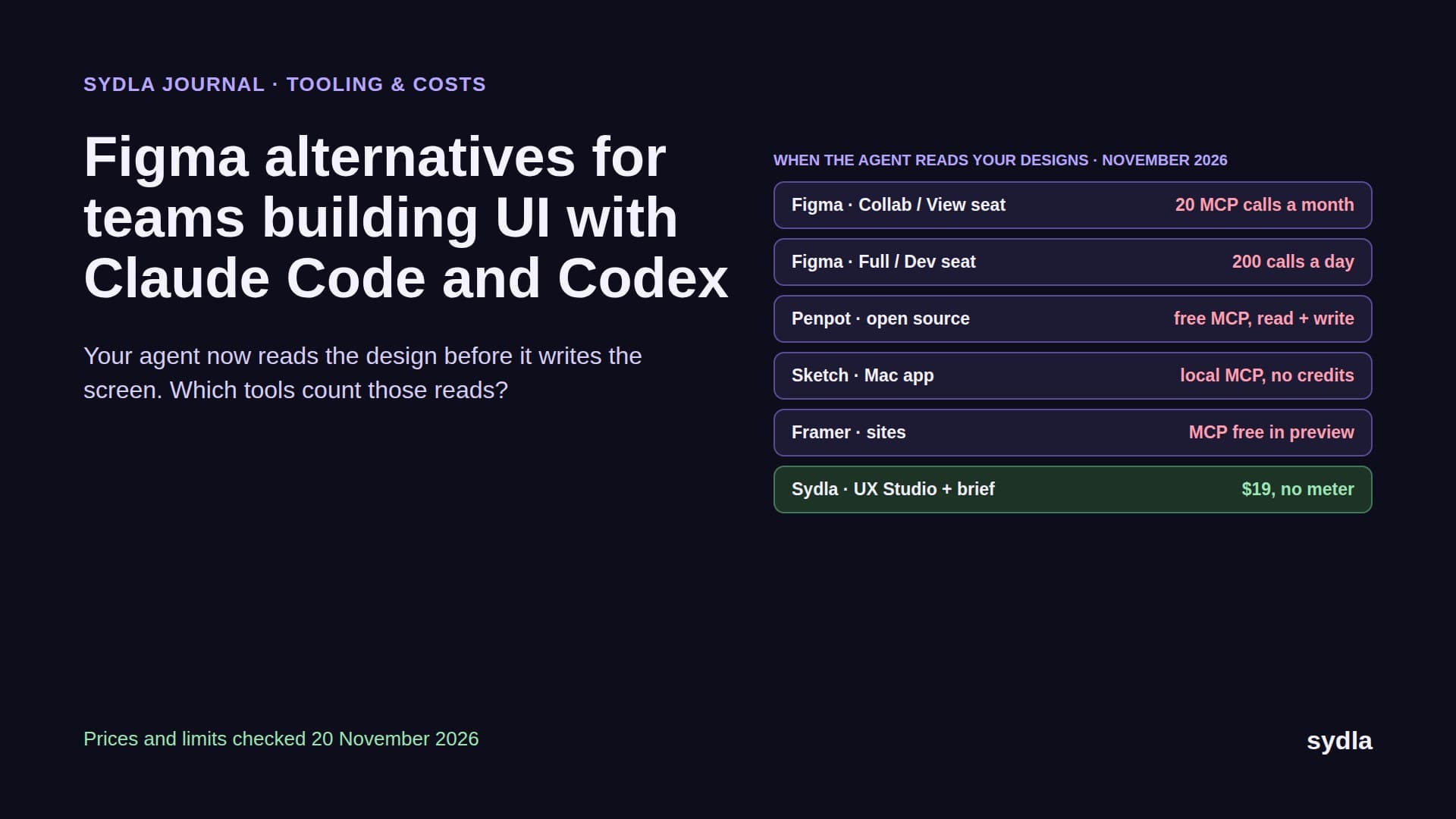
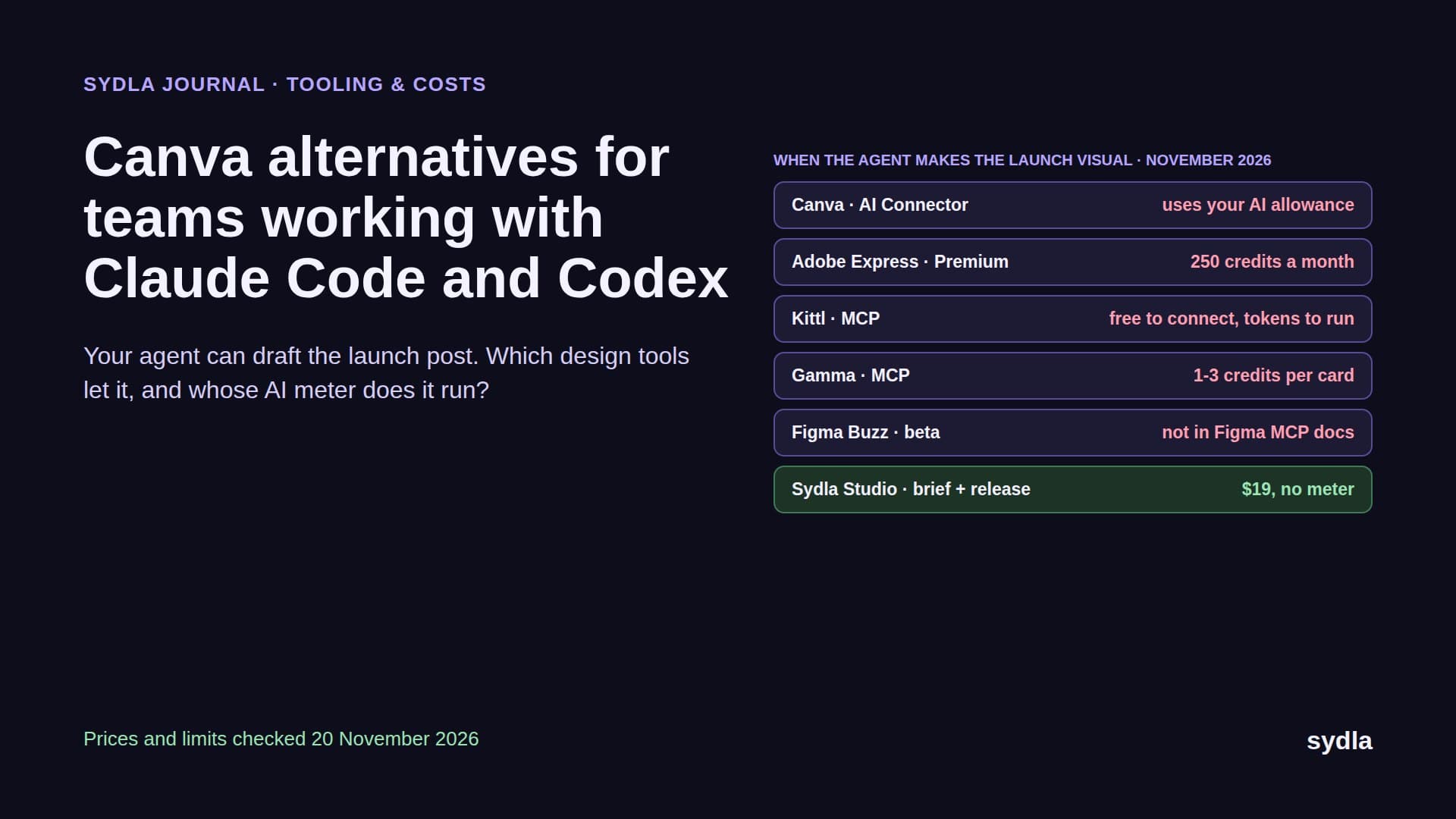
Canva alternatives for teams working with Claude Code and Codex (2026)
Your coding agent can now draft the launch post, the carousel and the banner. Here is Canva next to Adobe Express, Figma Buzz, Kittl, Gamma, Visme and Sydla Studio, with prices, MCP access and AI credit rules checked in November 2026.
The launch post is the last step of the ticket
A feature ships. The agent wrote the code, a person reviewed it, the release is tagged. Then someone opens Canva, copies the feature name out of a Confluence page, grabs a screenshot from staging, and spends an hour on a post, a carousel and a banner. The claim in the post is whatever they remember from the spec. Nobody checks it against what actually shipped.
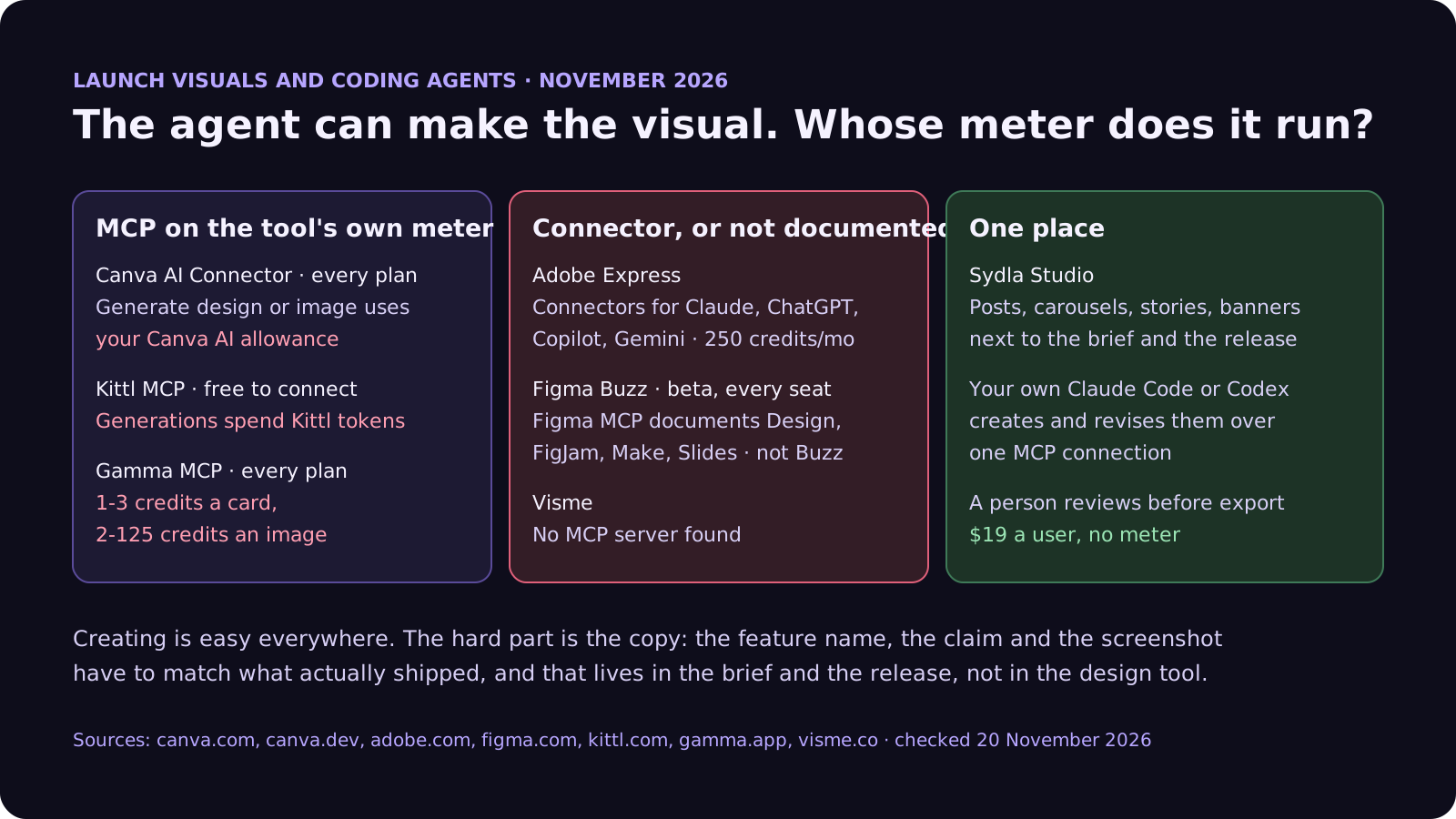
In 2026 that step can be done by the same Claude Code or Codex session that built the feature. Canva, Kittl and Gamma all have official MCP servers, and Adobe Express lists connectors for Claude and ChatGPT. So the question for a product team is no longer whether an agent can make a visual. It is whose AI meter the agent runs on, whether the brand comes along, and whether the copy comes from the brief and the release or from somebody's memory. Add the meters already running in Jira, Confluence, Notion, Figma and Miro, and you get the AI credit fatigue most product teams feel this year.
This guide compares Canva with six options on those terms: Adobe Express, Figma Buzz, Kittl, Gamma, Visme and Sydla Studio. It closes our alternatives series after Jira, Confluence, Figma, Miro and Notion. Every price and limit comes from the vendor's own page, checked on 20 November 2026.
Four questions to ask before you leave Canva
Every design tool can make a square post. Ask how it behaves when an agent does the making:
- Can an outside agent create and edit, not just read? Canva's MCP tools create designs, generate images, run edits in transactions and export files. Kittl and Gamma generate from a prompt. Some tools have nothing for an agent at all.
- Whose meter does a generation spend? Connecting is usually free. Generating is not. Canva says AI-powered actions from a connected assistant may use your monthly Canva AI allowance, Kittl spends its tokens and Gamma its credits. Your own Claude or ChatGPT plan pays for the conversation on top.
- Does the brand come along? On Canva, Brand Templates need a paid plan and autofill is off on Free and Pro Lite. An agent with no brand kit makes generic visuals fast.
- Where does the copy come from? The feature name, the one-line claim and the screenshot belong to the brief and the release. If those live in another tool, the agent needs another connection, and someone still has to check the post against what shipped.
Canva and six alternatives, side by side
The table lists the plan a small product team would realistically buy, per person per month before tax. Where a vendor shows a yearly price, a first-year discount or euros in our region, the table says so.
| Tool and plan | Seat / month | Built-in AI billing | How Claude Code or Codex reaches it | What the agent still reads elsewhere |
|---|---|---|---|---|
| Canva Business | $25 | Personal AI allowance per member; top-ups on Business; AI Pass $100 a person | AI Connector and remote MCP on every plan; generating may use the Canva AI allowance; usage limits announced for later | Brief, release notes, screenshots |
| Adobe Express Teams | $7.99 per license ($4.99 first year), 2 seats minimum | 250 generative credits per user a month | Connectors for Claude, ChatGPT, Copilot and Gemini listed on the pricing page; plan scope not stated | Brief, release notes, screenshots |
| Figma Buzz (beta) | $3 Collab seat on Professional | Figma AI credits: 500 on Collab, 3,000 on Full | Figma MCP documents Design, FigJam, Make and Slides files, not Buzz; Collab gets 20 MCP calls a month | Brief, release notes |
| Kittl Pro | $15 ($12 yearly) | Monthly tokens, no rollover; daily tokens on Expert and Max | Official MCP, free to connect; generations use Kittl credits | Brief, release notes, screenshots |
| Gamma Plus | EUR 8 billed yearly | 1,500 credits a month; Pro 4,000 | Official MCP and API on every plan; 1-3 credits per card, 2-125 per image | Brief, release notes, screenshots |
| Visme Starter | $12.25 billed yearly | 200 AI credits a month; Business 500 | No MCP server found; Zapier for other apps | Brief, release notes, screenshots |
| [Sydla](/) Studio | $19 for the whole workspace | None: your own Claude Code or Codex plan pays for the model | One Sydla MCP connection to create, revise and send creatives for review | Nothing else: brief, release and creatives sit in one workspace |
What each one does well, and where it stops
Canva is still the fastest way for a non-designer to make something that looks finished, and its agent story is now the most complete on this list. The AI Connector works on every plan, including Free, from ChatGPT, Claude, Gemini and Copilot, and the developer MCP server exposes design creation, image generation, editing, autofill and export. The meter is Canva's own. Generating spends the monthly Canva AI allowance, which is personal on Business and does not pool, and Canva says further usage limits on the connector are coming. Admins can switch the connector off for the whole team, and it runs with the same permissions as the Connect API. Our Miro and Canva credits guide covers the allowance in detail.
Adobe Express is the cheapest serious alternative for a team: $7.99 a license after a $4.99 first year, with a two-seat minimum and 250 generative credits per user a month. Premium for one person is $9.99. Firefly models and Adobe Stock are the draw. Adobe's pricing page says Express is integrated into Claude, ChatGPT, Copilot and Gemini through add-on connectors, but it does not say which plans include them or whether they spend generative credits, and we found no developer documentation for an MCP server. Test it with your own account before you plan agent work around it.
Figma Buzz is Figma's answer to Canva: brand templates that designers lock and marketers fill in, with AI image edits and text rewrites. In beta it is on every seat type, so a $3 Collab seat gets you in if your team already pays for Figma. Its AI features draw on the same Figma AI credits as everything else. The catch for agents is that Figma's MCP server documents Design, FigJam, Make and Slides files, and says nothing about Buzz. Treat agent access to Buzz as unsupported until Figma documents it. Our Figma alternatives guide covers the MCP limits.
Kittl is the pick for brand-heavy graphics, type and merch, with a growing AI layer. Pro costs $15 a month or $12 billed yearly, Expert $35 or $26, and Max $65 or $48. AI actions spend tokens that do not roll over, with daily tokens on top for Expert and Max. Kittl's official MCP server is one command in Claude Code and free to connect, but every generation spends the same tokens it would in the app. The Free plan is for personal use only, so commercial launch work needs a paid plan.
Gamma and Visme sit closer to decks and documents than to social posts. Gamma's MCP server and API work on every plan, including Free, and a 10-card deck with five images costs roughly 20 to 60 credits. Plus is EUR 8 a month billed yearly in our region, with 1,500 credits. Visme is strong on infographics and reports at $12.25 a month billed yearly, with 200 AI credits on Starter, but we found no MCP server, so an agent cannot drive it directly.
To make the cost concrete: take a team where two people make launch visuals. On Canva Business that is 2 × $25 = $50 a month, each with their own AI allowance that the other cannot share. On Adobe Express Teams it is 2 × $7.99 = $15.98 after the first year. On Kittl Pro it is 2 × $15 = $30, or $24 billed yearly. On Figma Buzz it is 2 × $3 = $6 if you already pay for Figma, but your agent cannot reach the files. Every one of these still needs the brief, the release notes and the screenshots from somewhere else.
Switching design tools fixes one meter out of six
Moving off Canva changes where the visuals live. It does not change where the tickets, the spec, the notes, the screens and the flows live, and each of those tools runs its own AI meter. Here is one paid seat of the typical stack next to Sydla. Each tool has a page on our comparison hub.
| Tool and plan | Seat / month | Built-in AI billing | What the agent needs from it |
|---|---|---|---|
| Jira Standard | $9.70 | 25 Rovo credits per user per month, pooled | The ticket and acceptance criteria |
| Confluence Standard | $7.15 | 25 Rovo credits per user per month, same pool | The spec and decisions |
| Notion Plus | $12.00 | Custom Agents need Business or Enterprise, then $10 per 1,000 credits | Notes and research |
| Figma Professional, Full seat | $20.00 | 3,000 AI credits a month, personal; MCP 200 calls a day | Screens and states |
| Miro Starter | $10.00 | 25 AI credits per seat a month, pooled, pauses at zero | Flows and diagrams |
| Canva Business | $25.00 | Personal allowance; top-ups or AI Pass at $100 | Launch visuals |
| Six-tool total | $83.85 | Six meters, plus your coding agent | Six context hops per ticket |
| [Sydla](/) | $19.00 | None: your own Claude Code or Codex plan pays for the model | One workspace: brief, docs, criteria, flows, states, runs, evidence and launch creatives |
That is $64.85 per user per month less than the six-tool stack, before any extra credits. Swapping Canva Business for Adobe Express Teams saves about $17 a seat and leaves five meters running. The pricing section has the details.
Which alternative fits which team
There is no single winner. Each option suits a different shape of team:
- Stay on Canva if marketing, sales and support all design there and your brand templates are already built. Connect Claude through the AI Connector, keep generation for the final pass, and watch the personal allowances of the people who make the most visuals.
- Pick Adobe Express if you want the lowest team price with real generative credits and Adobe Stock, and a person, not an agent, does most of the designing.
- Pick Figma Buzz if your designers already live in Figma and want to lock brand templates for everyone else. Do not plan on agent access yet.
- Pick Kittl if your launches lean on type, illustration and merch, and you are happy to pay for agent generations in Kittl tokens.
- Pick Gamma if your launch is mostly decks, one-pagers and docs, and you want an MCP server even on the Free plan.
- Pick [Sydla](/) if the same people write the brief, run the coding agent and post the launch, and you want the visual made from the release, not retyped from memory.
Walkthrough: from brief to launch post with your own agent
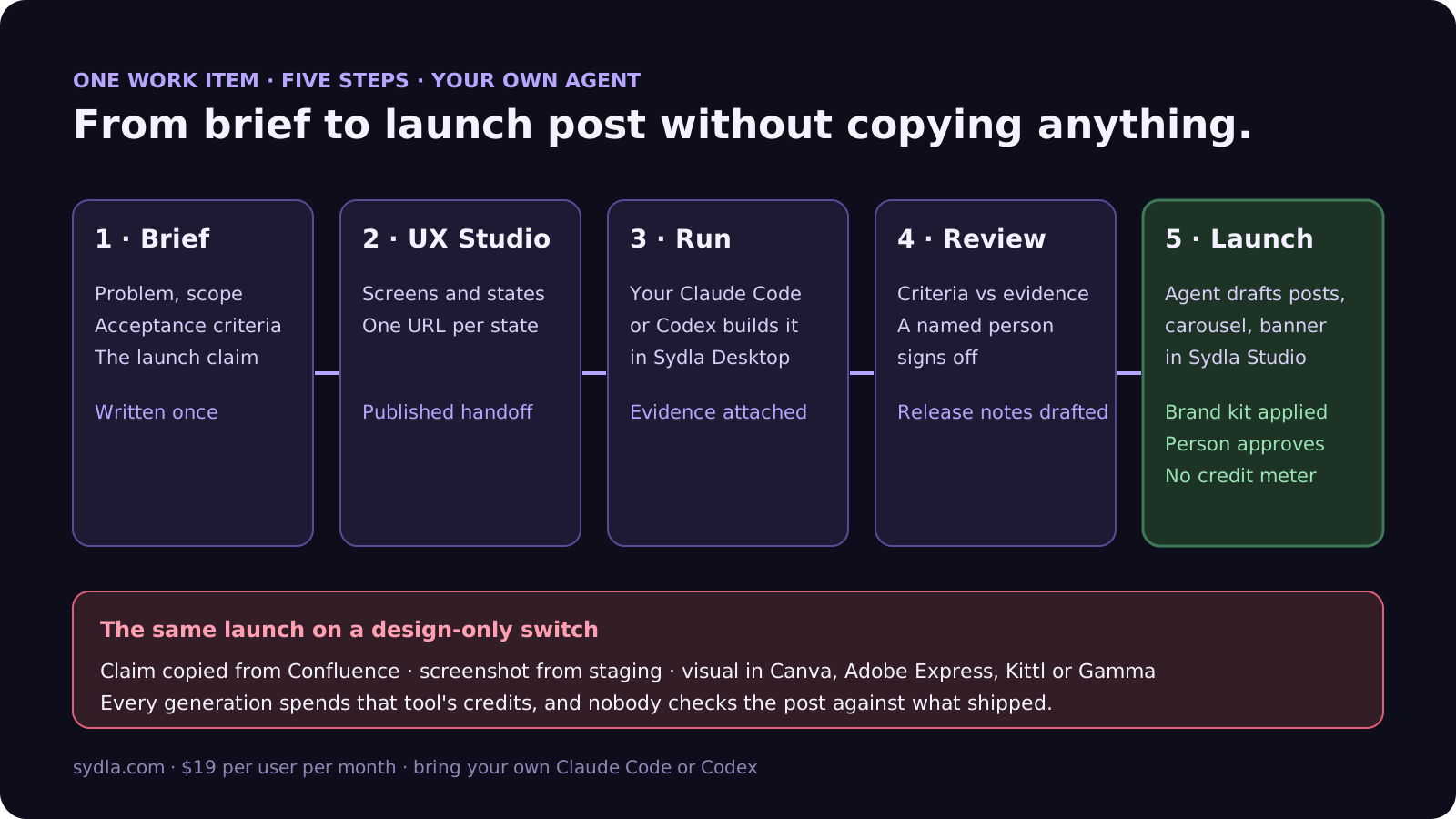
Here is how the launch visual fits the rest of the work in Sydla. The agent is your own Claude Code or Codex, signed in with your Anthropic or OpenAI account, so there is no markup on the model and no Sydla credit meter.
- Write the brief once. Problem, scope, acceptance criteria and the one-line claim the launch will make, in Sydla Docs. That claim is now a requirement like any other, and the reviewer checks it.
- Design the states in UX Studio. Screens with their empty, loading, error and success states, each with its own URL and a published handoff. These are also the screenshots the launch post will use.
- Run the agent in Sydla Desktop. Desktop starts the Claude Code or Codex CLI in your checkout. The agent reads the brief and states through one Sydla MCP connection, builds, runs the tests and attaches evidence. The Desktop guide covers the first run.
- Review and release. A person checks each criterion against the evidence, using our review guide. The run notes become release notes.
- Draft the launch in Sydla Studio. Ask the same agent to draft a post, a carousel and a banner from the brief's claim, the release notes and the real screens. Studio has formats for posts, stories, reels, LinkedIn, X, carousels and banners, original templates and your brand kit applied to every page. The agent creates and revises the creatives over the same MCP connection, then asks for a review. A person approves before anything is exported.
Two guardrails matter whichever tool you pick. Treat text pulled from tickets and pages as untrusted input to the agent, as our prompt injection guide explains, and keep a person on the export button: a post is public the moment it leaves the tool. If you are moving the rest of the stack too, our 30-day migration plan covers what to export and what to leave behind, and the solo founder stack runs the same math for one person. When you are ready, start your workspace.
Frequently asked questions
What is the best Canva alternative for teams using Claude Code or Codex?
It depends on who makes the visuals and what they make. Adobe Express is the cheapest team plan at $7.99 a license after the first year. Kittl and Gamma have official MCP servers that Claude Code can call, but generations spend their tokens or credits. Sydla Studio keeps launch creatives next to the brief and the release and lets your own Claude Code or Codex create them for $19 per user per month with no credit meter.
Can Claude Code create designs in Canva?
Yes. Canva's AI Connector and remote MCP server work with Claude, ChatGPT, Gemini and Copilot on every Canva plan, including Free. An agent can create and edit designs, generate images, search, export and, on paid plans, autofill Brand Templates. AI-powered actions such as generating designs may use your monthly Canva AI allowance, and Canva says usage limits for the connector will come later.
Does the Canva MCP server cost anything?
Connecting is free on every plan. The cost is in what the agent does: generating designs or images may spend your Canva AI allowance, which is personal on Canva Business and does not pool between members. Brand Templates need a paid plan, and autofill is not available on Canva Free or Pro Lite. Your Claude or ChatGPT plan also pays for the conversation itself.
Is Figma Buzz a good Canva alternative?
For teams already on Figma, yes for people. Figma Buzz is in beta on every seat type, so a $3 Collab seat on the Professional plan can use brand templates and AI image edits on Figma AI credits. For agents, not yet: Figma's MCP server documents Design, FigJam, Make and Slides files, and Buzz files are not mentioned.
How much does Sydla cost compared with Canva and the rest of the stack?
Sydla costs $19 per user per month with no AI credit meter. One paid seat each of Jira Standard, Confluence Standard, Notion Plus, Figma Professional Full, Miro Starter and Canva Business costs $83.85 per user per month, so the saving is $64.85 per user per month before any extra credits. You bring your own Claude Code or Codex account, so your Anthropic or OpenAI plan pays for the model with no markup.