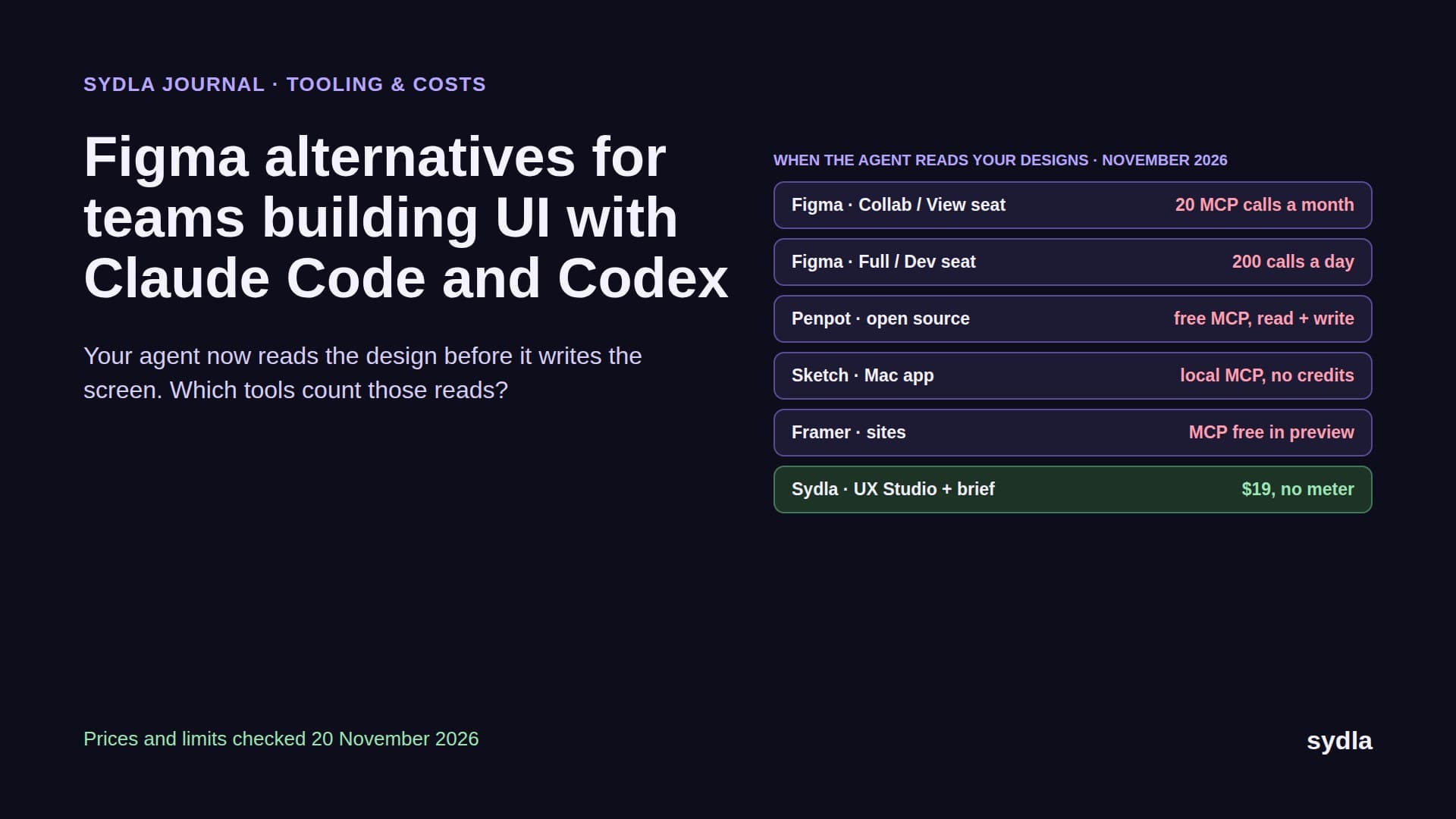
Miro alternatives for teams planning with Claude Code and Codex (2026)
Your coding agent now reads the user flow before it writes the code, and draws the architecture diagram after. Here is Miro next to FigJam, Whimsical, Excalidraw+, Lucid, Mural and Sydla, with prices, MCP limits and AI credit rules checked in November 2026.
The whiteboard got a new participant
Whiteboards used to be where people met. Someone drew the checkout flow in a workshop, the team voted on stickies, and a week later a developer squinted at a screenshot of the board to remember what was agreed. In 2026 the first reader of that board is often Claude Code or Codex. The agent asks an MCP server for the flow before it writes the code, and draws the architecture or ER diagram back onto the board when it is done, so the team can review the change visually.
That changes what a Miro alternative has to be good at. Infinite canvas, templates and sticky notes are table stakes. Three new questions decide the bill and the quality of the pull request: how many reads and writes an agent may make before a cap or a meter kicks in, whether the flow on the board is connected to the spec and the screens, and whether the board sits anywhere near the ticket the agent is working from. Add the meters already running in Jira, Confluence, Notion, Figma and Canva, and you get the AI credit fatigue most product teams describe this year.
This guide compares Miro with six options on those terms: FigJam, Whimsical, Excalidraw+, Lucid, Mural and Sydla. It extends our alternatives series after Jira, Confluence and Figma. Every price and limit comes from the vendor's own page, checked on 20 November 2026.
Four questions to ask before you leave Miro
Every whiteboard can hold a flowchart. Ask how it behaves when an agent is the one reading and drawing:
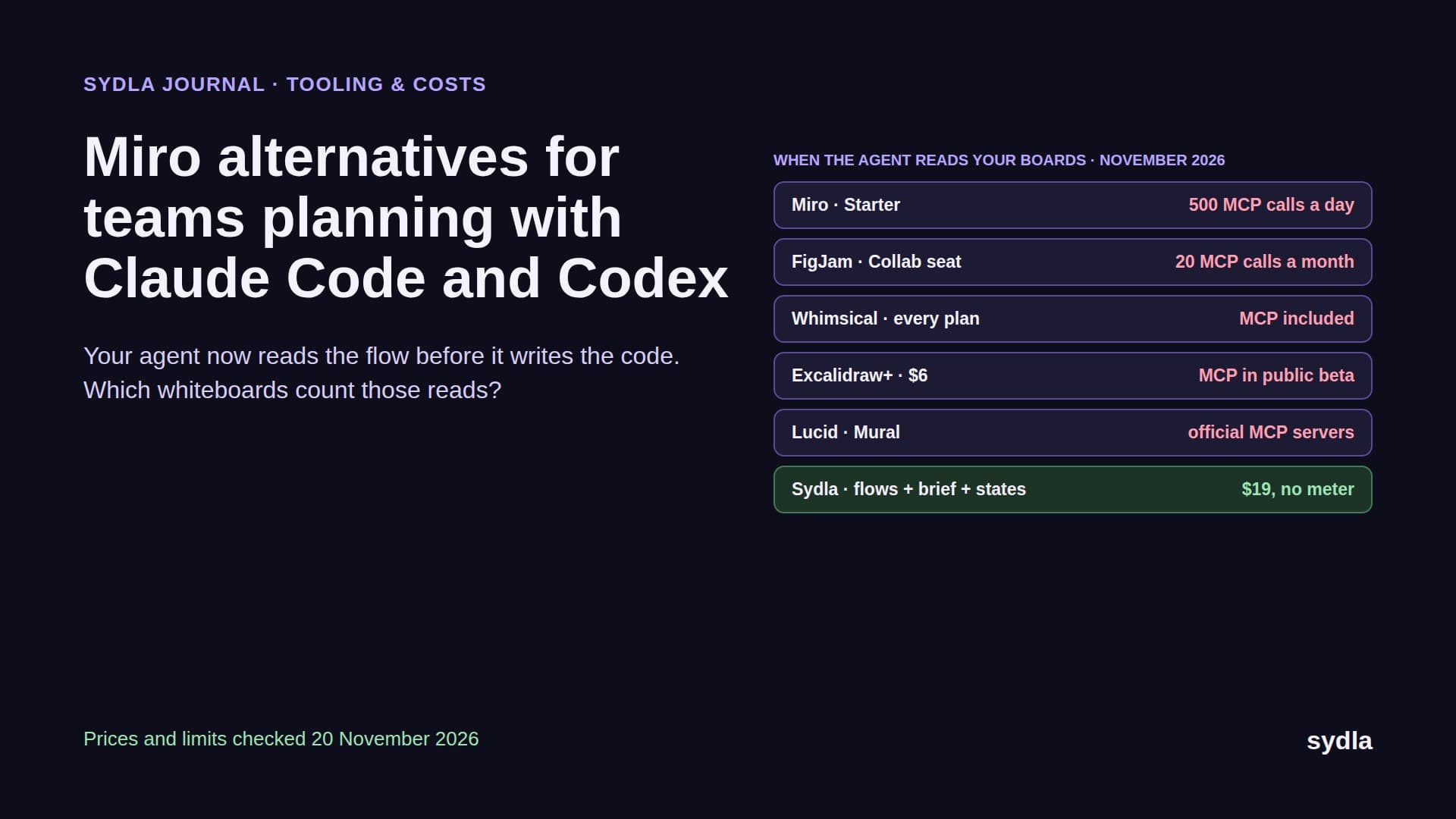
- How many MCP calls do you get, and per what? Miro caps MCP calls per day by plan: 100 on Free, 500 on Starter, 2,000 on Business and 10,000 on Enterprise. FigJam goes through Figma's MCP server, where the cheap Collab seat most whiteboard users sit on gets 20 calls a month.
- Does the tool's own AI share a pool with the team? Miro gives 25 AI credits per member a month on Starter and 50 on Business, pooled across the team, and AI pauses for everyone when the pool hits zero. Our Miro and Canva credits guide has the full rate card.
- Can the agent write, and will writing cost money later? Writing lets an agent draw a sequence diagram from a pull request or update a flow after a change. Figma says its FigJam write API is free during the beta and will become paid. Whimsical and Excalidraw+ include writes in the plan today.
- Is the flow connected to anything? A board tells the agent how users move between screens. It does not say what done means, which states each screen has or which ticket the work belongs to. If those live in three other tools, every ticket costs three more connections.
Miro and six alternatives, side by side
The table lists the plan a small product team would realistically buy, in USD per member per month before tax unless stated. Where a vendor shows only a yearly price, the table says so.
| Tool and plan | Seat / month | Built-in AI billing | How Claude Code or Codex reaches it | What the agent still reads elsewhere |
|---|---|---|---|---|
| Miro Starter | $10 monthly | 25 AI credits per member, pooled; AI pauses for everyone at zero | Official MCP server, 500 calls a day on Starter (100 Free, 2,000 Business, 10,000 Enterprise) | Brief, tickets, screens |
| FigJam on Figma Professional | $3 Collab seat | Figma AI credits per seat, personal, no rollover | Figma MCP server: 20 calls a month on a Collab seat; FigJam diagram and write skills free in beta, then a paid API | Brief, tickets; screens need a Full or Dev seat for real use |
| Whimsical Pro | $10 per editor, billed yearly | Whimsical AI in the plan; viewers and guests free | Official remote MCP server, read and write boards and docs, free on every plan | Tickets, screen states |
| Excalidraw+ Plus | $6 | 100 AI requests a day, or bring your own key | Hosted MCP and REST API in public beta; open-source MCP server too | Brief, tickets, screens |
| Lucidspark Team | EUR 10 per user, billed yearly | Lucid AI free to all users for now, may become paid | Official Lucid MCP server: search, read, create diagrams, export images | Brief, tickets, screens |
| Mural Team+ | $12 monthly ($9.99 yearly) | Mural AI in paid plans | Official MCP server, read and write canvases | Brief, tickets, screens |
| [Sydla](/) | $19 for the whole workspace | None: your own Claude Code or Codex plan pays for the model | One Sydla MCP connection for brief, criteria, Mermaid diagrams, screens, states and transitions | Nothing else: the ticket, brief, flow and states are one work item |
What each one does well, and where it stops
Miro is still the broadest canvas on the market: workshops, templates, prototypes, slides, AI workflows and 250+ integrations. Its MCP server is generous on paid plans, and MCP reads do not spend AI credits. The meter is Miro's own AI. Starter credits are small and pooled, so one person generating diagrams can empty the pool for the team, and the switch to block Miro AI or MCP is a paid add-on on Enterprise only.
FigJam is the natural pick if your screens already live in Figma. Since April 2026 the Figma MCP server can generate architecture and ER diagrams into FigJam, and the figma-use-figjam skill lets Claude Code or Codex read and write boards. The catch is the seat model. FigJam users are usually on $3 Collab seats, and a Collab seat gets 20 MCP calls a month, which an agent can spend in one planning session. Writes are free only until the beta ends.
Whimsical is the most agent-friendly on price. Its official MCP server is free on every plan, it reads and writes boards and docs, and it has setup pages for both Claude Code and Codex. Viewers and guests are free. The Free plan caps you at 50 board objects a month, so real use starts at Pro, and it has no screen states or tickets of its own.
Excalidraw+ costs $6 a user and is built for engineers. Its hosted MCP server, still in public beta, turns Mermaid or JSON into editable diagrams, checks layouts for overlapping arrows and overflowing text, and renders screenshots so the agent can check its own work. The open-source editor and MCP server mean nothing is locked in. It is a drawing tool, not a planning tool.
Lucid and Mural both ship official MCP servers that work with Claude. Lucid pairs Lucidspark boards with Lucidchart diagrams and says its AI is free for now but may move to a paid model. Mural is strongest in facilitated workshops and sends outcomes on to Jira or Linear. Both leave the brief and the screens elsewhere.
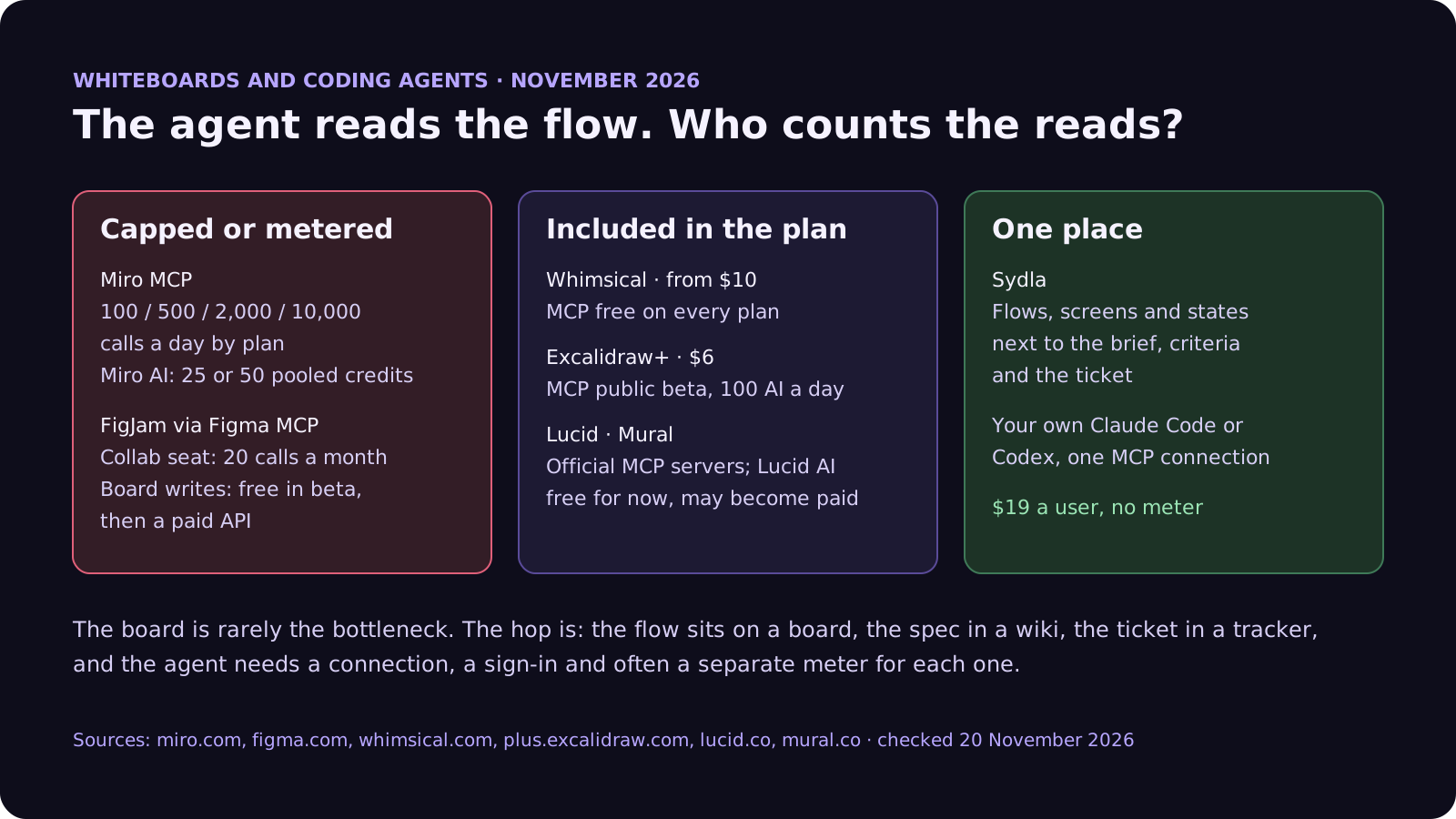
To make the meter concrete: take six people on Miro Starter at $10 each, $60 a month, with a pooled 150 AI credits. Say the team asks Miro AI for 12 diagrams a month at 5 credits each and 20 board summaries at 2 credits each. That is 100 credits, inside the pool. Add a designer generating 8 prototype screens at 5 credits a screen and the team needs 140. One more prototype pass and AI stops for all six people until renewal. Meanwhile Claude Code reading the same boards over MCP spends no Miro credits at all. The usage counts are our assumptions; the rates are Miro's.
Switching whiteboards fixes one meter out of six
Moving off Miro changes where the flows live. It does not change where the tickets, the spec, the notes, the screens and the launch assets live, and each of those tools runs its own AI meter. Here is one paid seat of the typical stack next to Sydla. Each tool has a page on our comparison hub.
| Tool and plan | Seat / month | Built-in AI billing | What the agent needs from it |
|---|---|---|---|
| Jira Standard | $9.70 | 25 Rovo credits per user per month, pooled | The ticket and acceptance criteria |
| Confluence Standard | $7.15 | 25 Rovo credits per user per month, same pool | The spec and decisions |
| Notion Plus | $12.00 | Custom Agents need Business or Enterprise, then $10 per 1,000 credits | Notes and research |
| Figma Professional, Full seat | $20.00 | 3,000 AI credits a month, personal; MCP 200 calls a day | Screens and states |
| Miro Starter | $10.00 | 25 AI credits per seat a month, pooled, pauses at zero | Flows and diagrams |
| Canva Business | $25.00 | Personal allowance; top-ups or AI Pass at $100 | Launch visuals |
| Six-tool total | $83.85 | Six meters, plus your coding agent | Six context hops per ticket |
| [Sydla](/) | $19.00 | None: your own Claude Code or Codex plan pays for the model | One work item: brief, docs, criteria, flows, states, runs and evidence |
That is $64.85 per user per month less than the six-tool stack, before any extra credits. Swapping Miro for Excalidraw+ saves $4 a seat and leaves five meters running. The pricing section has the details.
Which alternative fits which team
There is no single winner. Each option suits a different shape of team:
- Stay on Miro if workshops, retros and cross-team planning live there and people outside engineering depend on it. Watch the pooled credits on Starter, and keep agent reads on MCP, which does not spend them.
- Pick FigJam if your screens are in Figma and your developers have Full or Dev seats. Do not plan agent work around Collab seats, and budget for writes once the beta ends.
- Pick Whimsical if you want flows, wireframes and docs that an agent can read and write over MCP with no extra fee.
- Pick Excalidraw+ if your team is mostly engineers who want architecture diagrams as code, generated and checked by the agent, for $6 a user.
- Pick Lucid or Mural if you need formal diagramming next to the board, or facilitated workshops for a larger organisation.
- Pick Sydla if you want the flow, the brief, the screen states, the agent run and the review on one work item, with the Claude Code or Codex account your developers already have. It replaces the whiteboard and the five tools around it, which is where the $64.85 comes from.
How Sydla Desktop connects your own agent to the flow
Here is what a feature looks like when the flow, the brief and the screens are the same place, and the agent is the one already installed on your laptop.
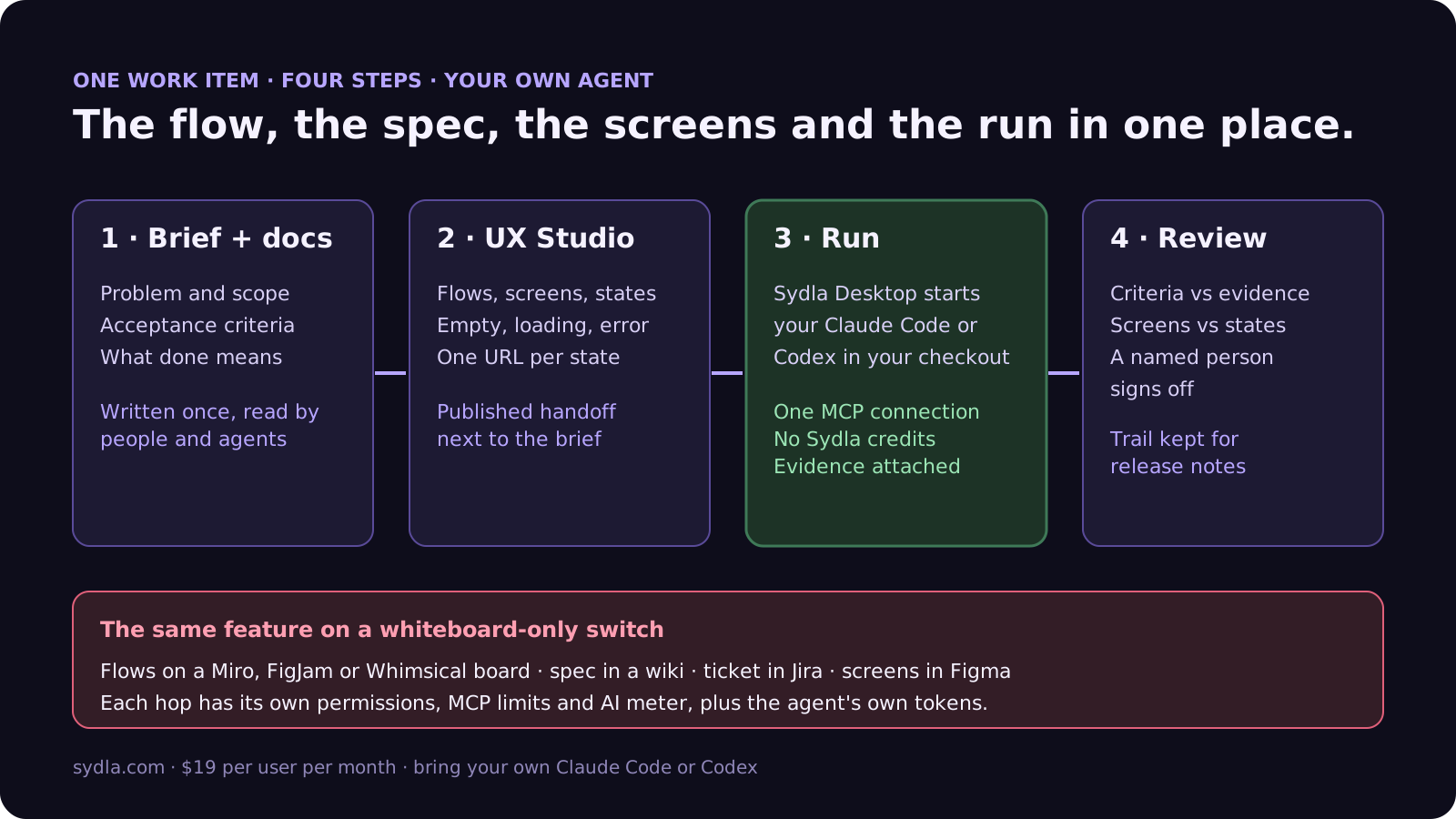
- Write the brief. Problem, scope, acceptance criteria and what done means live on the work item. Architecture and sequence diagrams sit in the same doc as Mermaid, so the agent reads them as text, not as a screenshot of a board. Our PRD template for agents gives the seven sections.
- Map the flow in UX Studio. Draw each screen with its empty, loading, error and permission states, and connect them with transitions. The transitions are the user flow you would otherwise sketch on a whiteboard, and each state has its own URL and a published handoff linked to the brief. Our design-to-code handoff guide explains why states beat screenshots.
- Run it in Sydla Desktop. Desktop launches the Claude Code or Codex CLI on your machine, in your checkout, signed in with your own account. The agent reads the brief, the flow and the published states through one Sydla MCP connection, with no per-day call cap and no credits, then builds, runs the tests and attaches screenshots of each state. The Desktop guide covers the first run.
- Review and sign off. A reviewer checks each criterion against the evidence and each screen against its state. Our review guide covers the code, and the sprint retrospective guide shows how to run the retro on run data instead of stickies.
Moving over does not need a big-bang import. Our 30-day migration plan covers Miro PDF, image and CSV exports, and moving only the boards that are still alive. If you work alone, the solo founder stack runs the same math for one person. When you are ready, start your workspace.
Frequently asked questions
What is the best Miro alternative for teams using Claude Code or Codex?
It depends on what the agent needs from the board. Whimsical includes a read-and-write MCP server on every plan. Excalidraw+ has an MCP server in public beta for $6 a user and suits engineering diagrams. FigJam fits teams already on Figma with Full or Dev seats. Sydla keeps flows, screen states and the brief on one work item and runs your own Claude Code or Codex for $19 per user per month with no credit meter.
What are the Miro MCP server limits in 2026?
Miro caps MCP calls per day by plan: 100 on Free, 500 on Starter, 2,000 on Business and 10,000 on Enterprise. MCP reads do not spend Miro AI credits. Miro's own AI uses credits: 25 per member a month on Starter and 50 on Business, pooled across the team, and AI pauses for everyone when the pool runs out.
Can Claude Code read and write FigJam boards?
Yes. Since April 2026 the Figma MCP server can generate architecture and ER diagrams into FigJam, and the figma-use-figjam skill lets Claude Code, Codex and other MCP clients read and write boards. Figma says this will be a paid API but is free during the beta. MCP limits follow the Figma seat: a Collab seat gets 20 calls a month, Full and Dev seats 200 a day on Professional.
Is there a free Miro alternative with an MCP server?
Whimsical's MCP server is free on every plan, though the Free plan caps you at 50 board objects a month. The open-source Excalidraw editor and its open-source MCP server are free, and Excalidraw+ adds a hosted MCP server in public beta for $6 per user per month. Miro's Free plan also has MCP, capped at 100 calls a day.
How much does Sydla cost compared with Miro and the rest of the stack?
Sydla costs $19 per user per month with no AI credit meter. One paid seat each of Jira Standard, Confluence Standard, Notion Plus, Figma Professional Full, Miro Starter and Canva Business costs $83.85 per user per month, so the saving is $64.85 per user per month before any extra credits. You bring your own Claude Code or Codex account, so your Anthropic or OpenAI plan pays for the model with no markup.