Notion alternatives for teams working with Claude Code and Codex (2026)
Your coding agent reads the team's notes before it starts, and the useful ones write the decision back when they finish. Here is Notion next to Superhuman Docs (ex-Coda), Obsidian, AFFiNE, AppFlowy, Anytype and Sydla, with prices, MCP access and AI credit rules checked in November 2026.
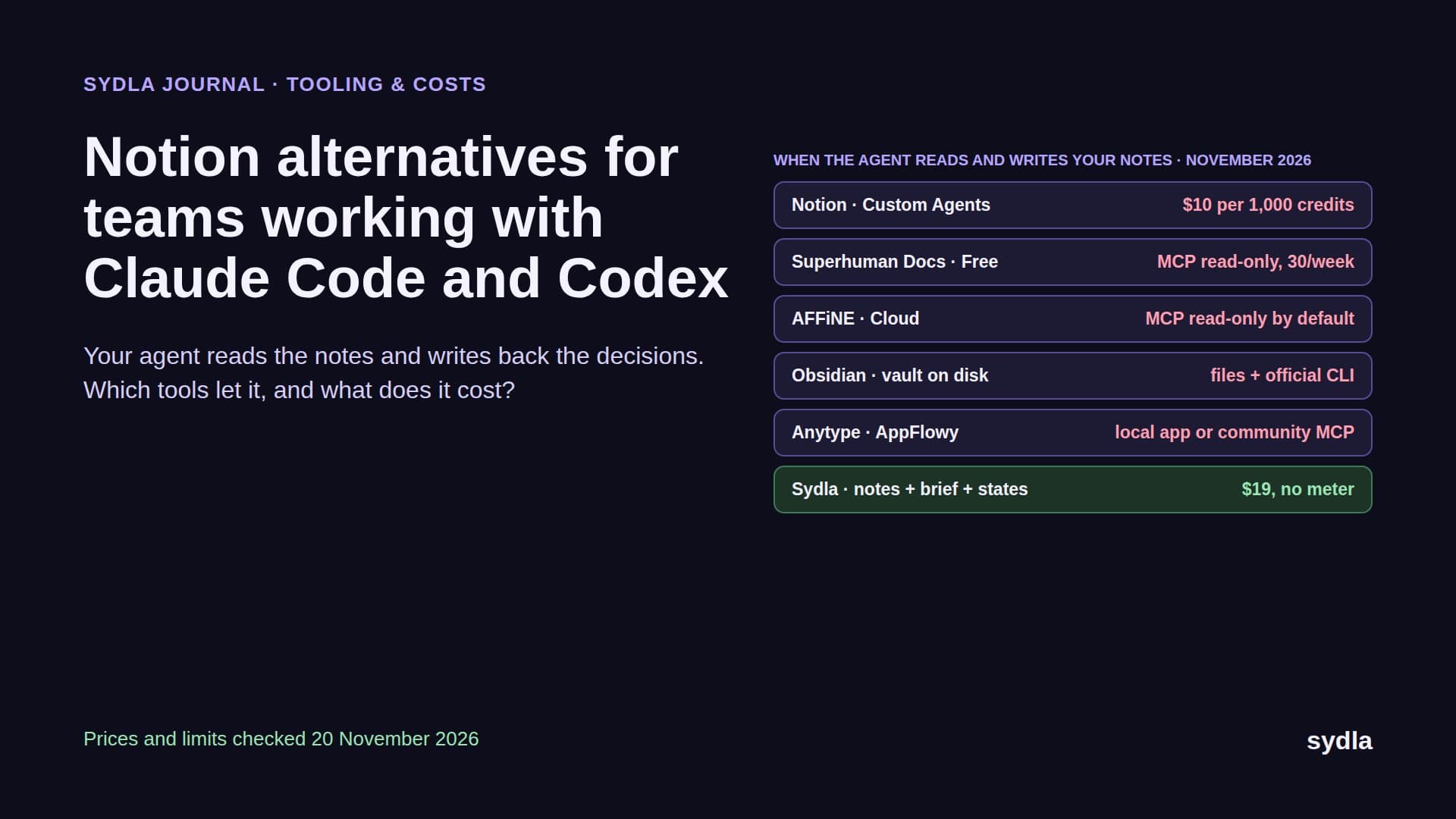
Your notes have a second reader now
Notes used to be written by people for people. A meeting ended, someone typed the decisions into Notion, and the developer who picked up the ticket a week later went looking for them. In 2026 the first reader of those notes is often Claude Code or Codex. The agent pulls the research, the meeting decisions and the half-finished spec over MCP before it writes a line. The good setups go one step further: when the run ends, the agent writes back what it decided, what it skipped and what is still open, so the next person or agent does not start from zero.
That changes what a Notion alternative has to be good at. Blocks, databases and templates are table stakes. Three questions now decide the bill and the quality of the work: can an outside agent read your notes without spending credits, can it write back, and do the notes sit anywhere near the ticket and the screens? Add the meters already running in Jira, Confluence, Figma, Miro and Canva, and you get the AI credit fatigue most product teams describe this year.
This guide compares Notion with six options on those terms: Superhuman Docs (the new name of Coda), Obsidian, AFFiNE, AppFlowy, Anytype and Sydla. It is the fifth part of our alternatives series after Jira, Confluence, Figma and Miro. Every price and limit comes from the vendor's own page, checked on 20 November 2026.
Four questions to ask before you leave Notion
Every notes app can hold a meeting summary. Ask how it behaves when an agent reads and writes:
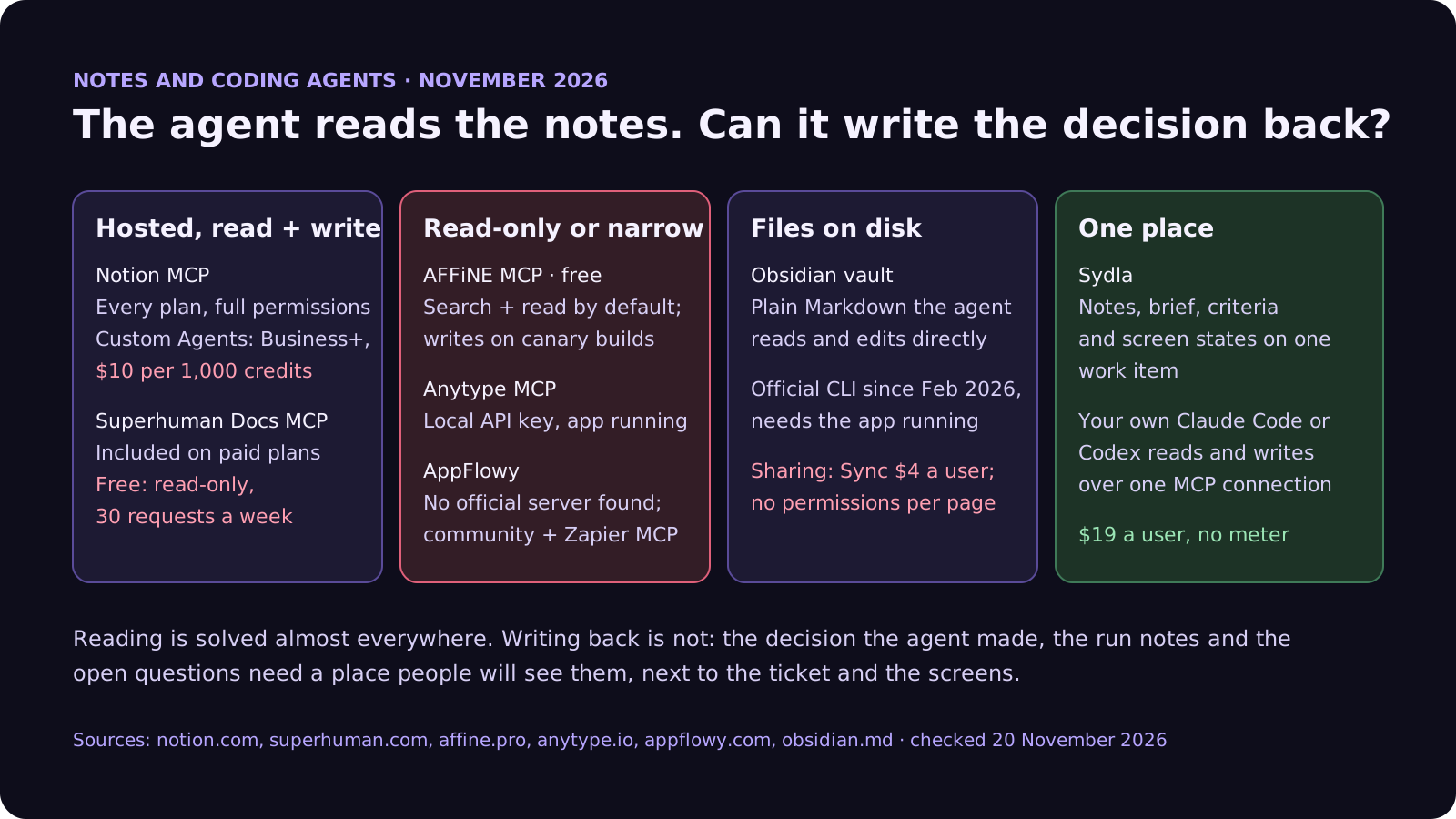
- Can an outside agent read without a meter? Notion's hosted MCP server works on every plan and spends no Notion credits when Claude Code or Codex calls it. Credits start when a Notion agent does the work. Some alternatives cap reads on their free plans, and Superhuman Docs allows 30 read-only requests a week on Free.
- Can it write back? Reading is common. Writing is where tools differ. Notion and Superhuman Docs let a connected agent create and update pages. AFFiNE's MCP endpoint is read-only by default, and Obsidian leaves writing to plain files and its CLI.
- Whose permissions does the agent use? Notion's help page warns that MCP tools act with your full Notion permissions. Superhuman Docs limits the agent to what your seat allows. Local-first tools like Obsidian and Anytype hand the agent whatever is on your disk or in your local API key.
- Are the notes connected to anything? Notes tell the agent why. They do not say what done means, which states each screen has or which ticket the work belongs to. If those live in three other tools, each ticket means three more connections.
Notion and six alternatives, side by side
The table lists the plan a small product team would realistically buy, per member per month before tax. Where a vendor shows only a yearly price or shows prices in euros in our region, the table says so.
| Tool and plan | Seat / month | Built-in AI billing | How Claude Code or Codex reaches it | What the agent still reads elsewhere |
|---|---|---|---|---|
| Notion Plus or Business | $12 Plus, $24 Business ($10 and $20 yearly) | Custom Agents on Business and Enterprise only, then $10 per 1,000 credits | Hosted MCP on every plan, read and write, with your full Notion permissions; no credits unless a Notion agent runs | Tickets, screens and states |
| Superhuman Docs (ex-Coda) Pro | EUR 15 per Doc Maker (EUR 12 yearly); editors free | Docs AI in beta for Doc Makers | Official MCP on paid plans with high rate limits; Free is read-only, 30 requests a week | Tickets, screens and states |
| Obsidian with Sync | $5 Sync ($4 yearly); app free | None built in; plugins or your own agent | The vault is Markdown on disk; official CLI since February 2026 talks to the running app | Tickets, screens; team sharing is per vault |
| AFFiNE Team | $10 per seat | AFFiNE AI add-on, $8.90 a month billed yearly | Official MCP endpoint, free on Cloud and self-hosted; search and read only by default | Tickets, screens and states |
| AppFlowy Pro | $16 ($12 yearly) | AI in Pro; limited trial on Free; local AI option | No official MCP server found; community servers and a Zapier connection | Tickets, screens and states |
| Anytype Pro membership | $8 per person; app free | No built-in AI meter | Official MCP server over the local API; the desktop app must run | Tickets, screens and states |
| [Sydla](/) | $19 for the whole workspace | None: your own Claude Code or Codex plan pays for the model | One Sydla MCP connection to read and write notes, brief, criteria, screens and states | Nothing else: the notes, ticket, brief and states are one work item |
What each one does well, and where it stops
Notion is still the most complete notes-plus-databases tool, and its MCP server is the most mature on this list: hosted, on every plan, with read and write tools that Claude Code and Codex can call without spending Notion credits. The meter is Notion's own agents. Custom Agents need Business at $24 a seat, and since 2 November 2026 a shared agent spends its owner's credits first. Our Notion credits guide shows what a run costs. The other catch is scope: MCP acts with your full permissions, so an agent reading one spec can see everything you can.
Superhuman Docs is Coda under a new name since July 2026, now bundled with Grammarly, Superhuman Mail and the Go assistant. It still has the best docs-as-apps model: tables, formulas and automations inside a page. You only pay for Doc Makers, so readers and editors who do not create docs are free. Its MCP server reads, analyzes and updates docs, is included on every paid plan, and respects the user's seat and permissions. The Free plan allows 30 read-only requests a week, which an agent can use up in one afternoon.
Obsidian is the engineer's favourite because the vault is plain Markdown on your disk. Claude Code and Codex can read and edit it like any other folder, with no server and no meter. The official CLI, generally available since February 2026, adds search and Bases queries, but it talks to the running desktop app. The limits are on the team side. Sharing means Obsidian Sync at $4 to $5 a user, access is per vault rather than per page, and product and design colleagues rarely want to work in a Git-style folder.
AFFiNE mixes docs and an edgeless whiteboard in one open-source, local-first app, from $6.75 a month on Pro and $10 a seat on Team. Its official MCP endpoint is free on Cloud and self-hosted instances. Today it does keyword and semantic search and reads full documents. Write tools exist but, as of AFFiNE's own October 2026 review, only on development and canary builds. So the agent can read the decision, not record one.
AppFlowy and Anytype are the privacy picks. AppFlowy is an open-source Notion clone with self-hosting and a local AI option, at $12 a member billed yearly. We found no official AppFlowy MCP server, only community ones and a Zapier connection. Anytype is local-first and end-to-end encrypted. The app is free, memberships from $4 buy storage, and its official MCP server runs over the local API while the desktop app is open. Both work for one person, but sharing notes with an agent across a team takes more work.
To make the cost concrete: take six people, three of whom create docs. On Notion Business, which you need for Custom Agents, that is 6 × $24 = $144 a month before any credit pack. On Superhuman Docs Pro only the three Doc Makers pay: 3 × EUR 15 = EUR 45. On AFFiNE Team it is 6 × $10 = $60, plus $8.90 for each person who wants AFFiNE AI. On Obsidian it is 6 × $5 = $30 for Sync, but the agent's write-backs land in a folder that half the team never opens. None of these prices include the tracker, the spec or the screens. Who creates docs, and how often, are our assumptions. The prices are the vendors'.
Switching notes apps fixes one meter out of six
Moving off Notion changes where the notes live. It does not change where the tickets, the spec, the screens, the flows and the launch assets live, and each of those tools runs its own AI meter. Here is one paid seat of the typical stack next to Sydla. Each tool has a page on our comparison hub.
| Tool and plan | Seat / month | Built-in AI billing | What the agent needs from it |
|---|---|---|---|
| Jira Standard | $9.70 | 25 Rovo credits per user per month, pooled | The ticket and acceptance criteria |
| Confluence Standard | $7.15 | 25 Rovo credits per user per month, same pool | The spec and decisions |
| Notion Plus | $12.00 | Custom Agents need Business or Enterprise, then $10 per 1,000 credits | Notes and research |
| Figma Professional, Full seat | $20.00 | 3,000 AI credits a month, personal; MCP 200 calls a day | Screens and states |
| Miro Starter | $10.00 | 25 AI credits per seat a month, pooled, pauses at zero | Flows and diagrams |
| Canva Business | $25.00 | Personal allowance; top-ups or AI Pass at $100 | Launch visuals |
| Six-tool total | $83.85 | Six meters, plus your coding agent | Six context hops per ticket |
| [Sydla](/) | $19.00 | None: your own Claude Code or Codex plan pays for the model | One work item: notes, brief, docs, criteria, flows, states, runs and evidence |
That is $64.85 per user per month less than the six-tool stack, before any extra credits. Swapping Notion Plus for Obsidian Sync saves $7 a seat and leaves five meters running. The pricing section has the details.
Which alternative fits which team
There is no single winner. Each option suits a different shape of team:
- Stay on Notion if your wiki, CRM-style databases and meeting notes all live there and the whole company uses it. Let Claude Code or Codex read and write over MCP, which spends no Notion credits, and only pay for Business if you really need Custom Agents.
- Pick Superhuman Docs if your notes double as small apps with tables, formulas and automations, and only a few people create docs. Plan agent work on a paid plan, not on the 30 read-only requests a week of Free.
- Pick Obsidian if your team is mostly engineers who want notes as Markdown files next to the code, with no server between the agent and the text.
- Pick AFFiNE if you want docs and a whiteboard in one open-source app you can self-host, and read-only agent access is enough for now.
- Pick AppFlowy or Anytype if data ownership and local-first storage matter more than a hosted agent connection.
- Pick Sydla if you want the notes, the brief, the screen states, the agent run and the review on one work item, with the Claude Code or Codex account your developers already have. It replaces the notes app and the five tools around it, which is where the $64.85 comes from.
How Sydla Desktop connects your own agent to the notes
Here is what a feature looks like when the notes, the brief and the screens are in the same place, and the agent is the one already installed on your laptop.
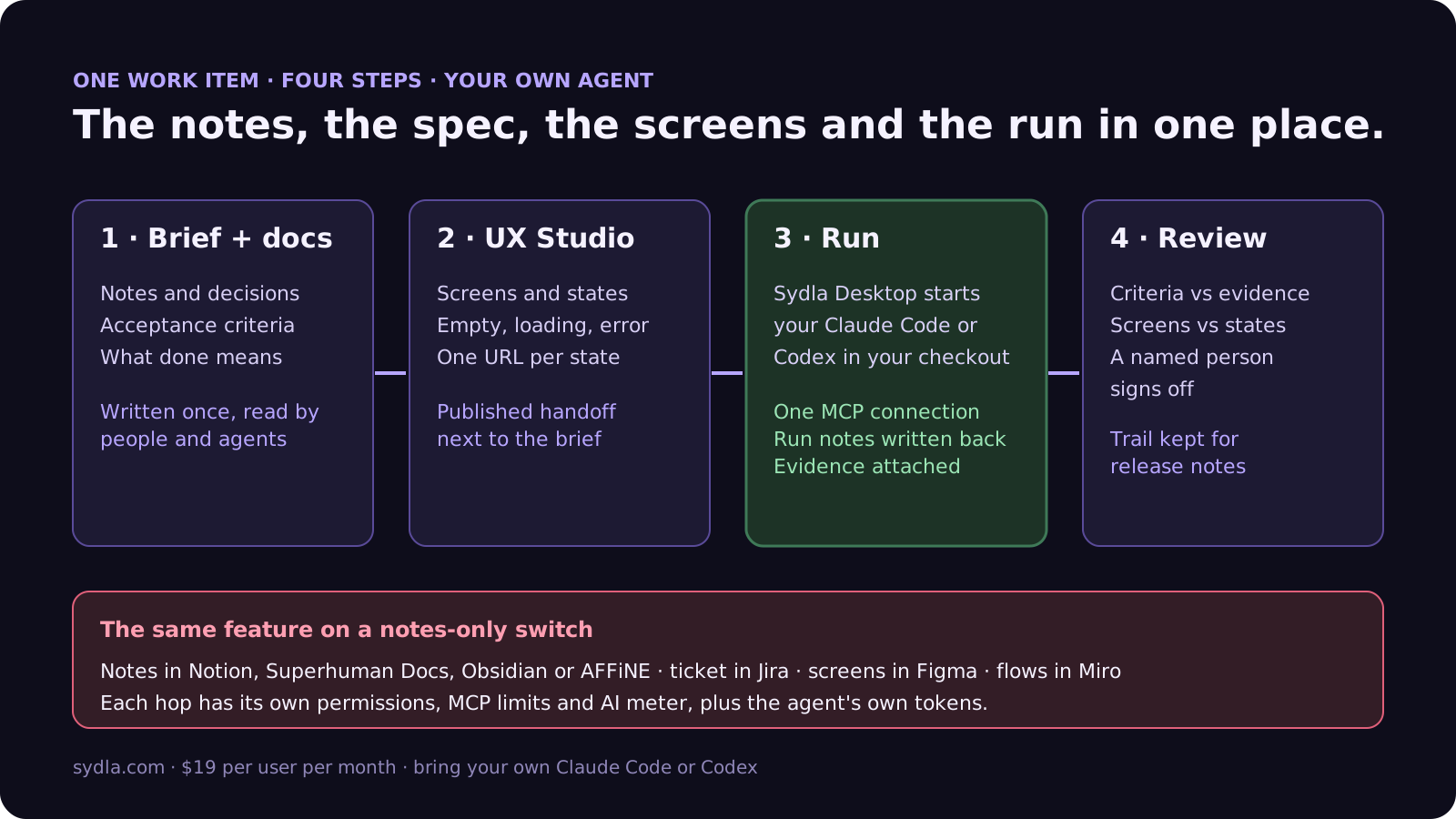
- Keep notes on the work item. Research, meeting decisions and open questions live in Sydla docs linked to the ticket, next to the problem, scope, acceptance criteria and what done means. Our PRD template for agents gives the seven sections.
- Design the states in UX Studio. Draw each screen with its empty, loading, error and permission states. Each state has its own URL and a published handoff linked to the brief. Our design-to-code handoff guide explains why states beat screenshots.
- Run it in Sydla Desktop. Desktop launches the Claude Code or Codex CLI on your machine, in your checkout, signed in with your own account. The agent reads the notes, the brief and the published states through one Sydla MCP connection, with no credits, then builds, runs the tests, attaches screenshots of each state and writes its run notes back to the work item. The Desktop guide covers the first run.
- Review and sign off. A reviewer checks each criterion against the evidence and each screen against its state. Our review guide covers the code, and the agent's run notes become the raw material for release notes.
Moving over does not need a big-bang import. Our 30-day migration plan covers Notion's HTML, Markdown and CSV exports, and moving only the pages that are still alive. If you work alone, the solo founder stack runs the same math for one person. When you are ready, start your workspace.
Frequently asked questions
What is the best Notion alternative for teams using Claude Code or Codex?
It depends on what the agent needs to do with your notes. Superhuman Docs (formerly Coda) has a read-and-write MCP server on every paid plan. Obsidian keeps notes as Markdown files the agent reads directly. AFFiNE has a free MCP endpoint that is read-only by default. Sydla keeps notes, the brief and screen states on one work item and runs your own Claude Code or Codex for $19 per user per month with no credit meter.
Does Notion MCP use Notion AI credits?
No. Reading and editing pages through Notion's MCP server from an outside agent such as Claude Code or Codex does not spend Notion credits. Credits apply when a Notion agent does the work, such as a Custom Agent, which needs the Business or Enterprise plan and costs $10 per 1,000 credits beyond the included allowance. MCP tools act with the connecting user's full Notion permissions.
Is Coda still available in 2026?
Yes, under a new name. Coda became Superhuman Docs in July 2026 and is part of the Superhuman suite with Grammarly, Mail and the Go assistant. Pro costs EUR 12 per Doc Maker per month billed yearly in our region, and only people who create docs pay. Its MCP server is included on every paid plan; the Free plan gets read-only access for up to 30 requests a week.
Can Claude Code work with an Obsidian vault?
Yes. An Obsidian vault is a folder of Markdown files, so Claude Code and Codex can read and edit notes directly with no server or credits. Since February 2026 Obsidian also has an official CLI for search and Bases queries, which talks to the running desktop app. Sharing a vault with a team needs Obsidian Sync at $4 per user per month billed yearly.
How much does Sydla cost compared with Notion and the rest of the stack?
Sydla costs $19 per user per month with no AI credit meter. One paid seat each of Jira Standard, Confluence Standard, Notion Plus, Figma Professional Full, Miro Starter and Canva Business costs $83.85 per user per month, so the saving is $64.85 per user per month before any extra credits. You bring your own Claude Code or Codex account, so your Anthropic or OpenAI plan pays for the model with no markup.